Course User Reports
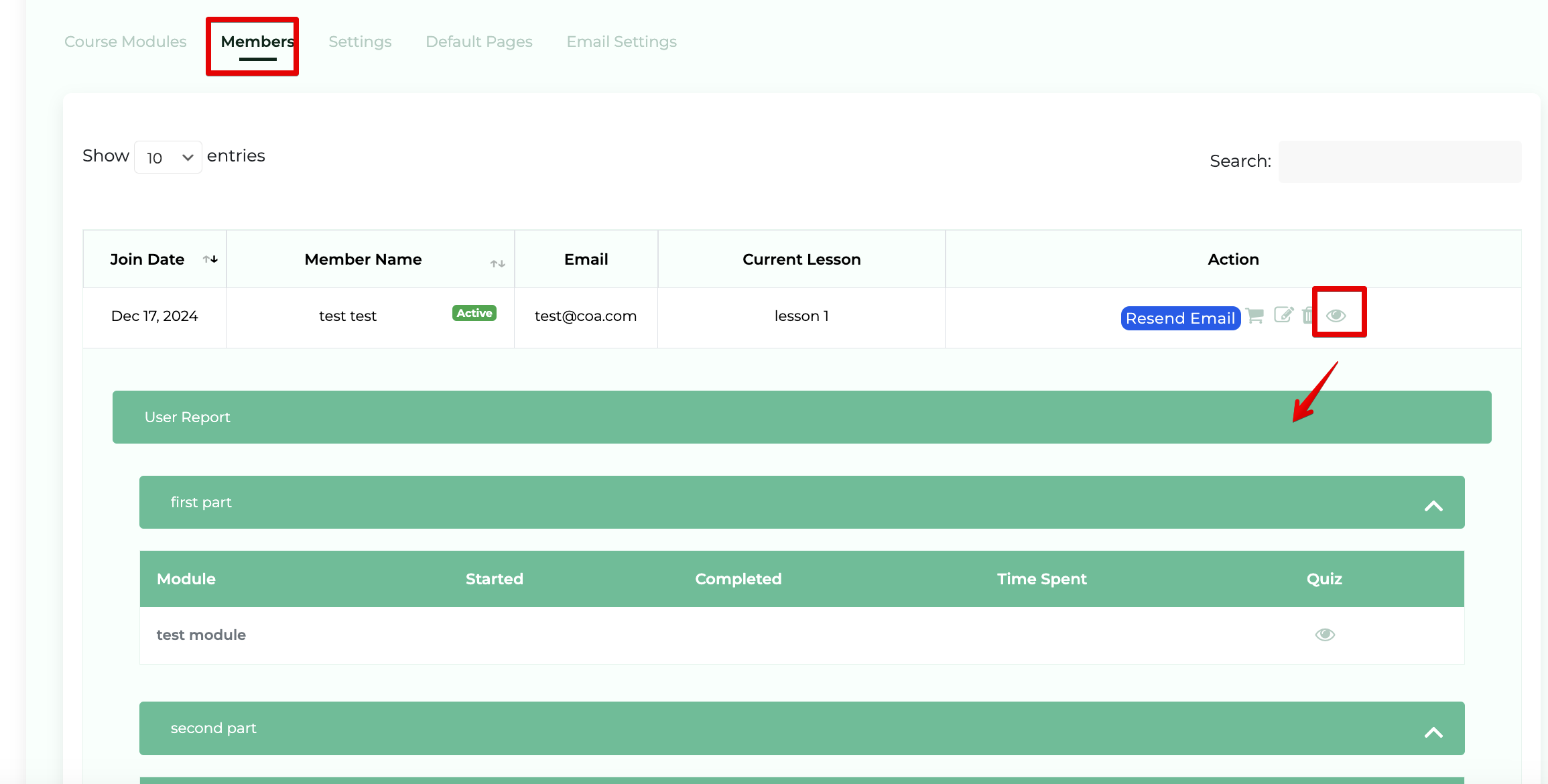
Step 1: Select Members > View User Report when within a course
Navigate to the course which contains the member you'd like to view. Click on Members (1) within the list and Under the actions column click "View User Report"(2) [eye icon].