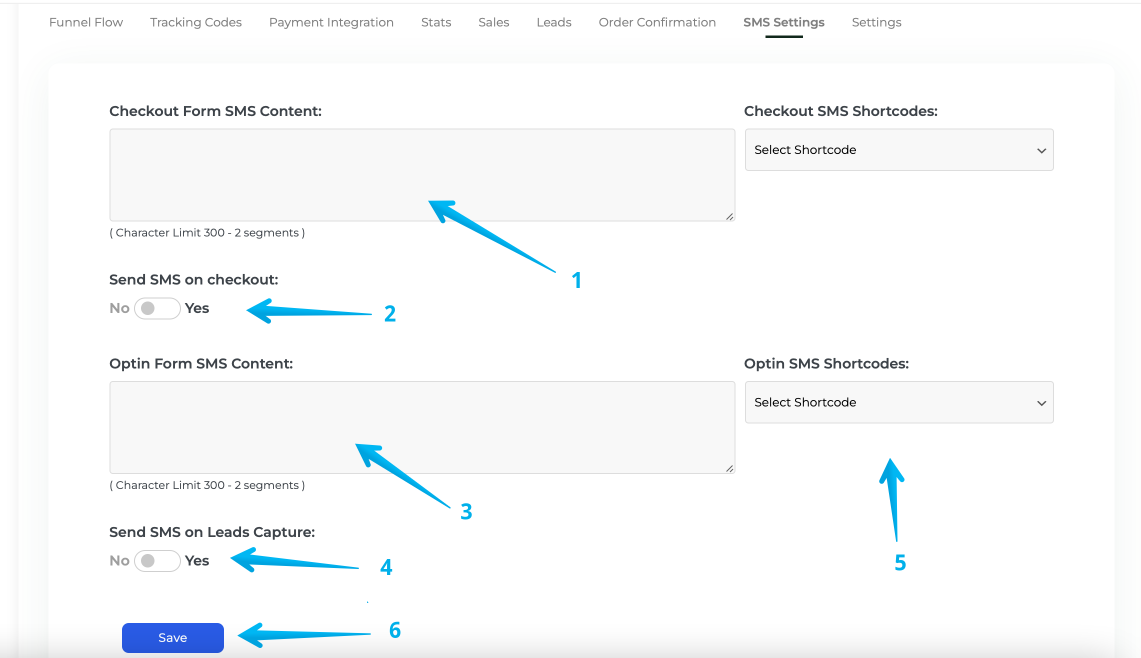
[BETA] SMS on Opt-In/Checkout
Step 1: Click > Funnels > Select your Funnel
Click funnels within your menu and scroll to the funnel you'd like to enable SMS on.
(Note: Ensure your SMS settings are configured before enabling this in your Funnel. You can follow this guide to set it up.)
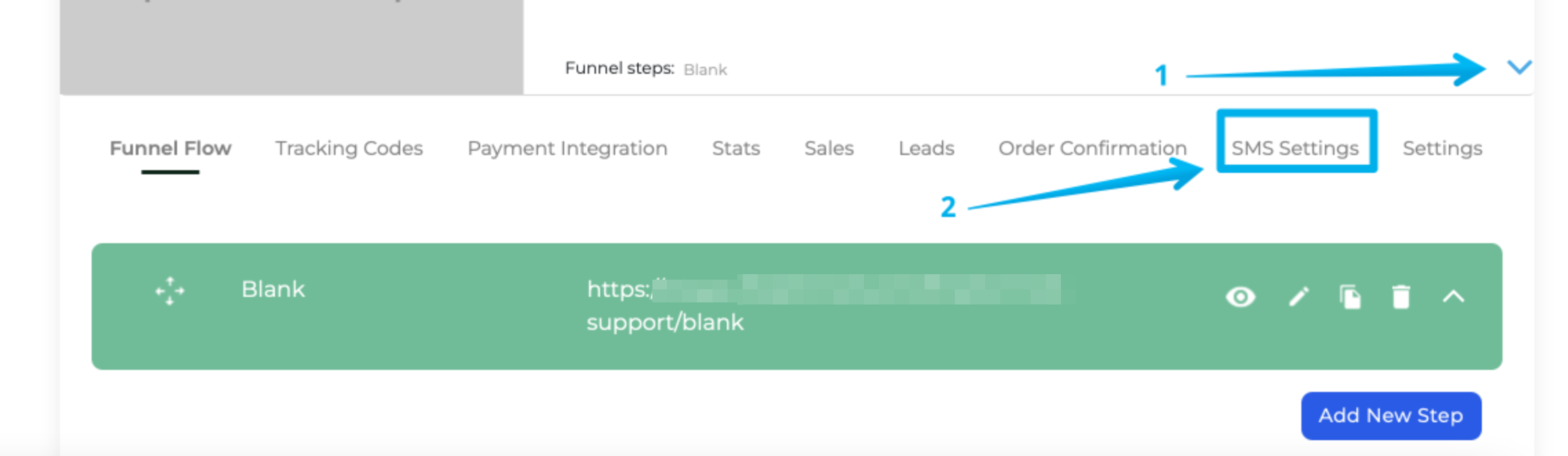
Step 2: Expand Settings (1) and Click SMS Settings (2)
Step 3: SMS Settings Breakdown
Check 1: Content for Checkout SMS
Check 2: On/Off Toggle for Checkout SMS
Check 3: Content for Opt-in SMS
Check 4: On/Off Toggle for Opt-in SMS
Check 5: ShortCode allows you to customize the message based on information the user provides to you. The Dropdown will insert the Shortcode into your Content Area
Check 6: Once you have configured the above use this button to save. SMS will now send on these actions.