
Selecting Payment Processor Inside A Funnel
Once you’ve connected your desired payment gateway, refer to this guide for instructions and a list of supported payment gateways: Supported Payment Gateways
You can now select a payment processor inside your Funnel using the payment app connected.
Steps to Select a Payment Processor
Step 1: Go to Funnels From your Clients on Automation Software dashboard, navigate to Funnels.
Step 2: Select a Funnel Choose the funnel you want to configure.
Step 3: Access Payment Integration Go to Funnel > Select a Funnel> Payment Integration within the selected funnel.
Step 4: Choose Payment Processor Select the connected payment processor you wish to use. Then Click Update to save the Configuration.
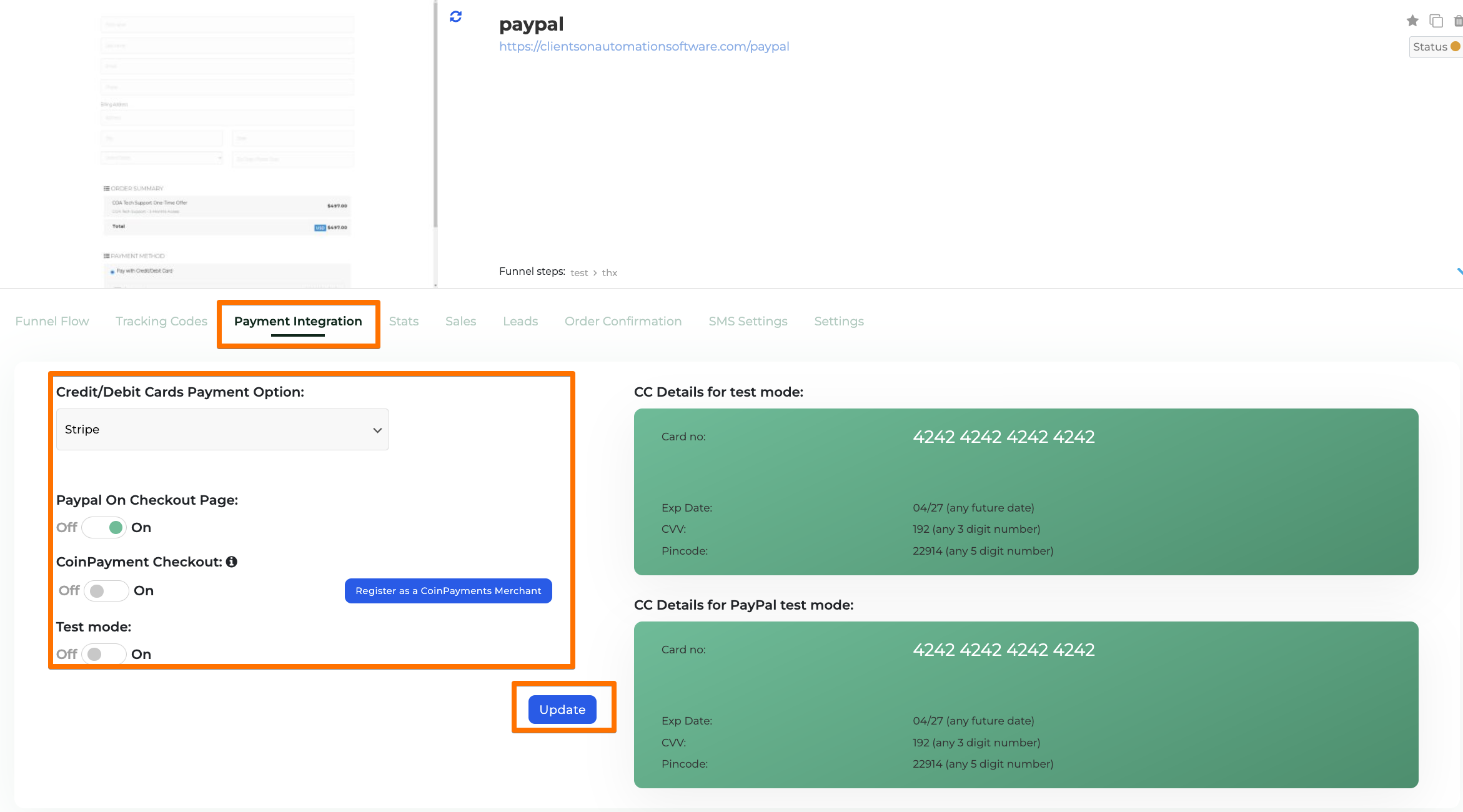
This setup ensures your funnel is ready to process payments smoothly through your chosen gateway.
