
"We are revamping our Knowledge Base articles to serve you better. In case you find something unusual, do not panic. Reach out to our Support Team by submitting a ticket if you ever need some help.”

Random Header Appearing on Blog Posts

Random Header Appearing on Blog Posts

In some circumstances, a random header will appear on blog posts. No worries, there's always a solution for that.
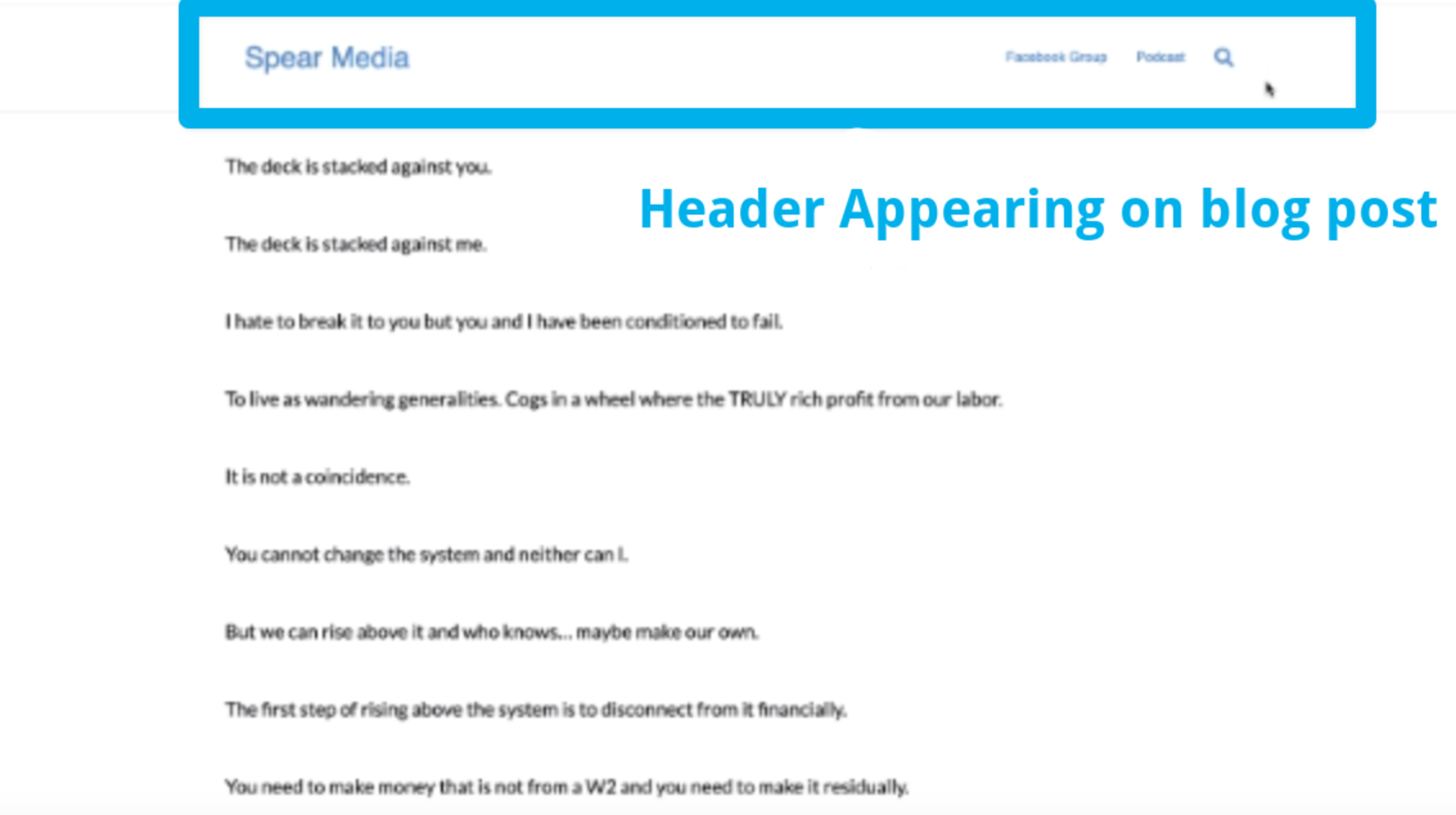
Monosnap Monosnap-2021-05-28_23-45.png-318×261-2023-06-12-17-56-44.png (1182×684) 2025-04-25 02-08-20

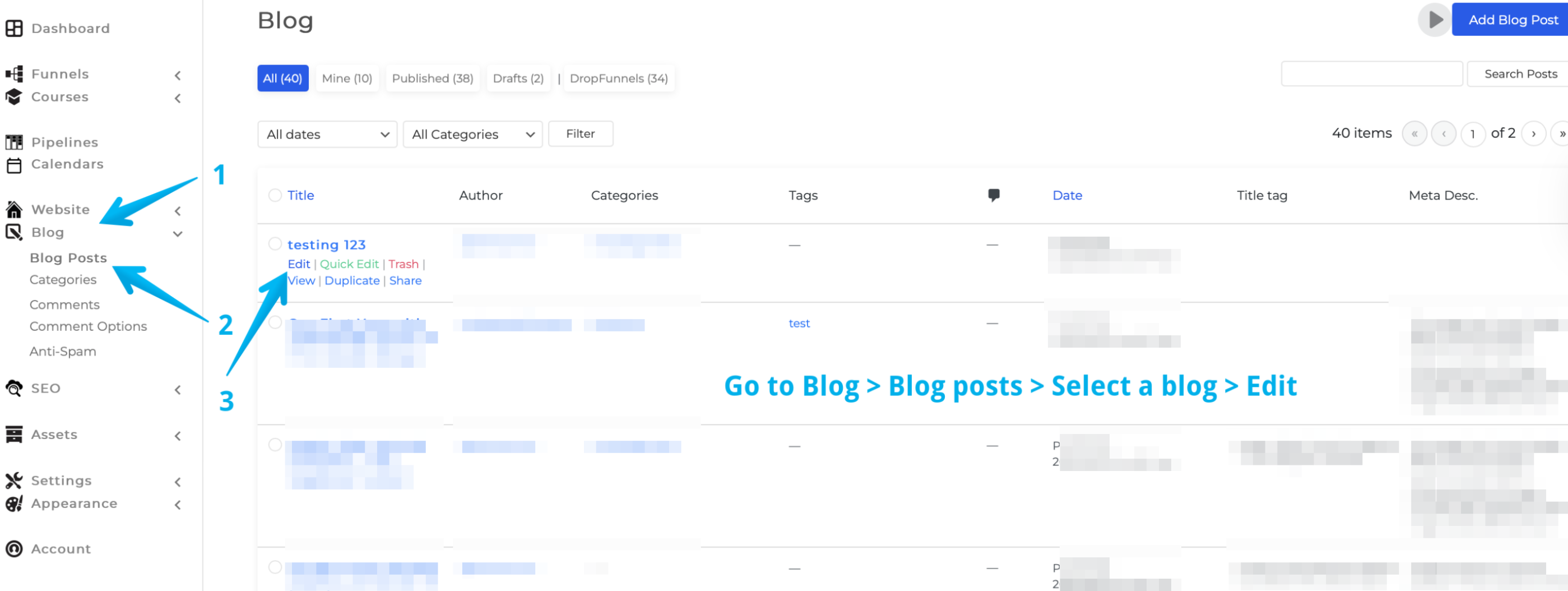
Step 1: To disable the header, head over to Blog > Blog Posts > and on the posts with the header > Edit
Monosnap Monosnap-Monosnap-Blog-‹-DF-Triage-—-WordPress-2023-06-23-05-38-23.png-2846×1182-2023-06-23-05-45-46.png (2728×1150) 2025-04-25 02-08-54

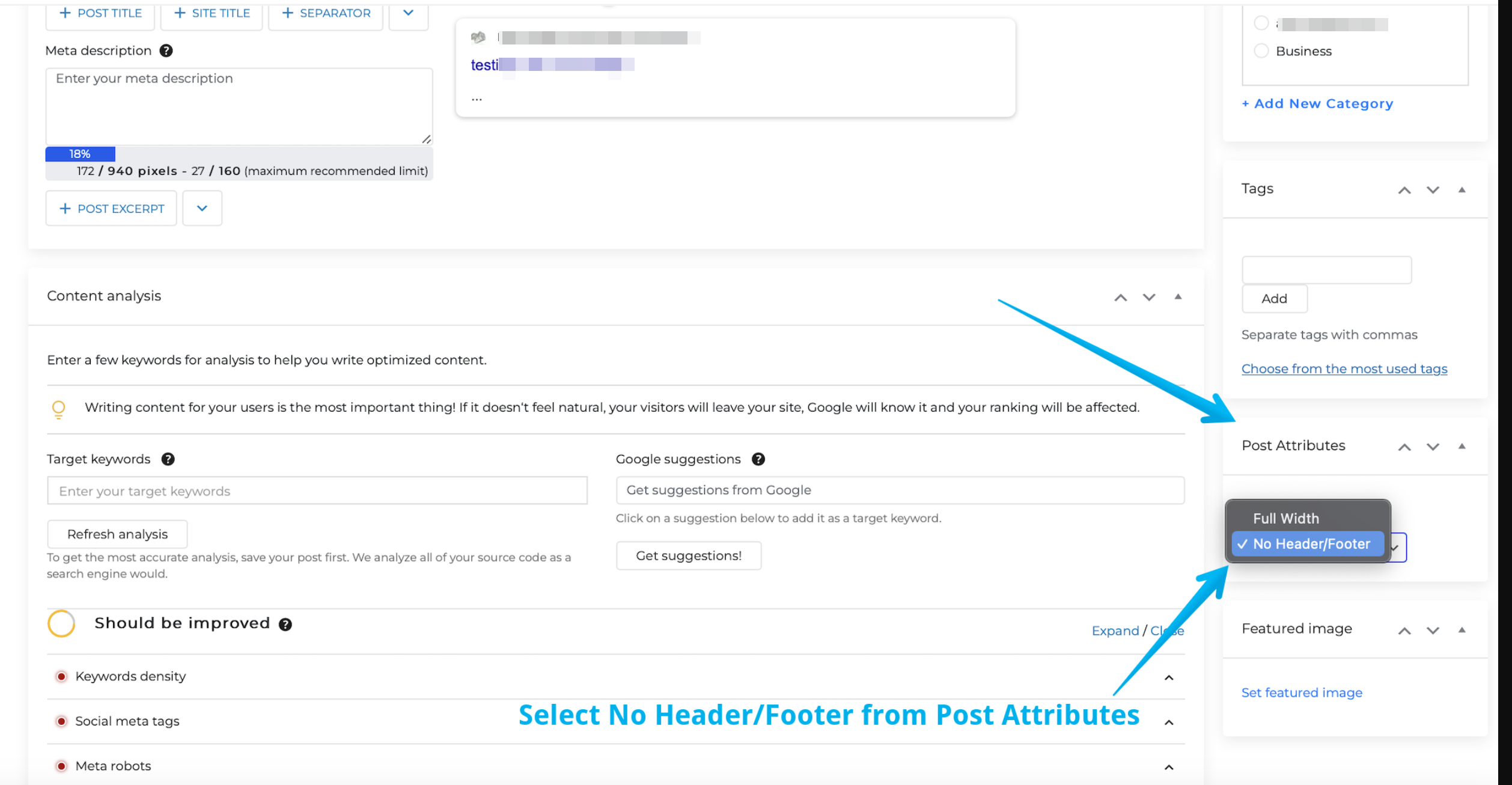
Step 2: Finally, scroll down until you see the Post Attributes column on the right panel > Open the dropdown > select No Header/Footer

Monosnap Monosnap-Screen-Shot-2023-06-23-05-41-55.png (2236×1262) 2025-04-25 02-09-41
Was this article helpful?

Related Articles