
How to troubleshoot Course Issues
Members not receiving login information
Step 1: Check your Order Confirmation email
All sales funnels should have an Order Confirmation email setup to send to customers their purchase receipt and Product Delivery information.
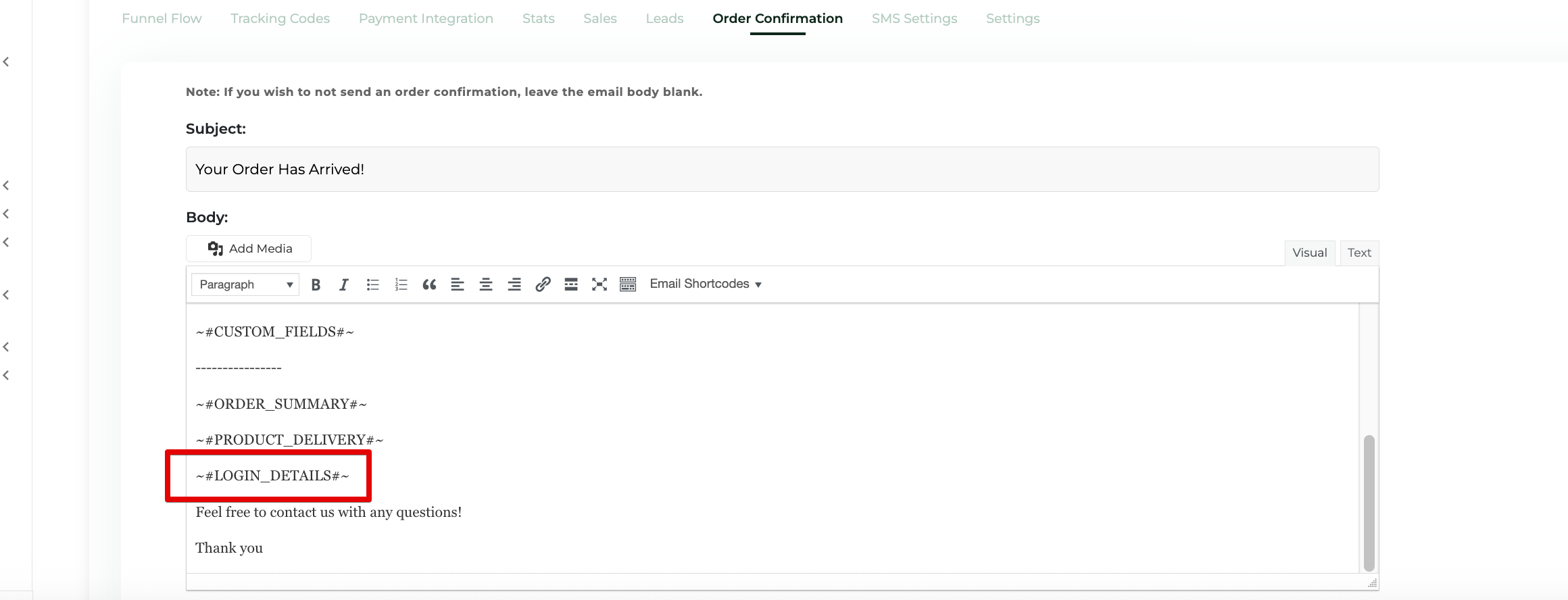
Be sure that the Funnel that's selling the Course has an Order Confirmation email setup and includes this Email Shortcode:
~#LOGIN_DETAILS#~
Without that Email Shortcode your members will not receive their Course credentials.
You can find the Order Confirmation email here in your Funnel Settings:
Step 2: Be sure your access levels are set correctly
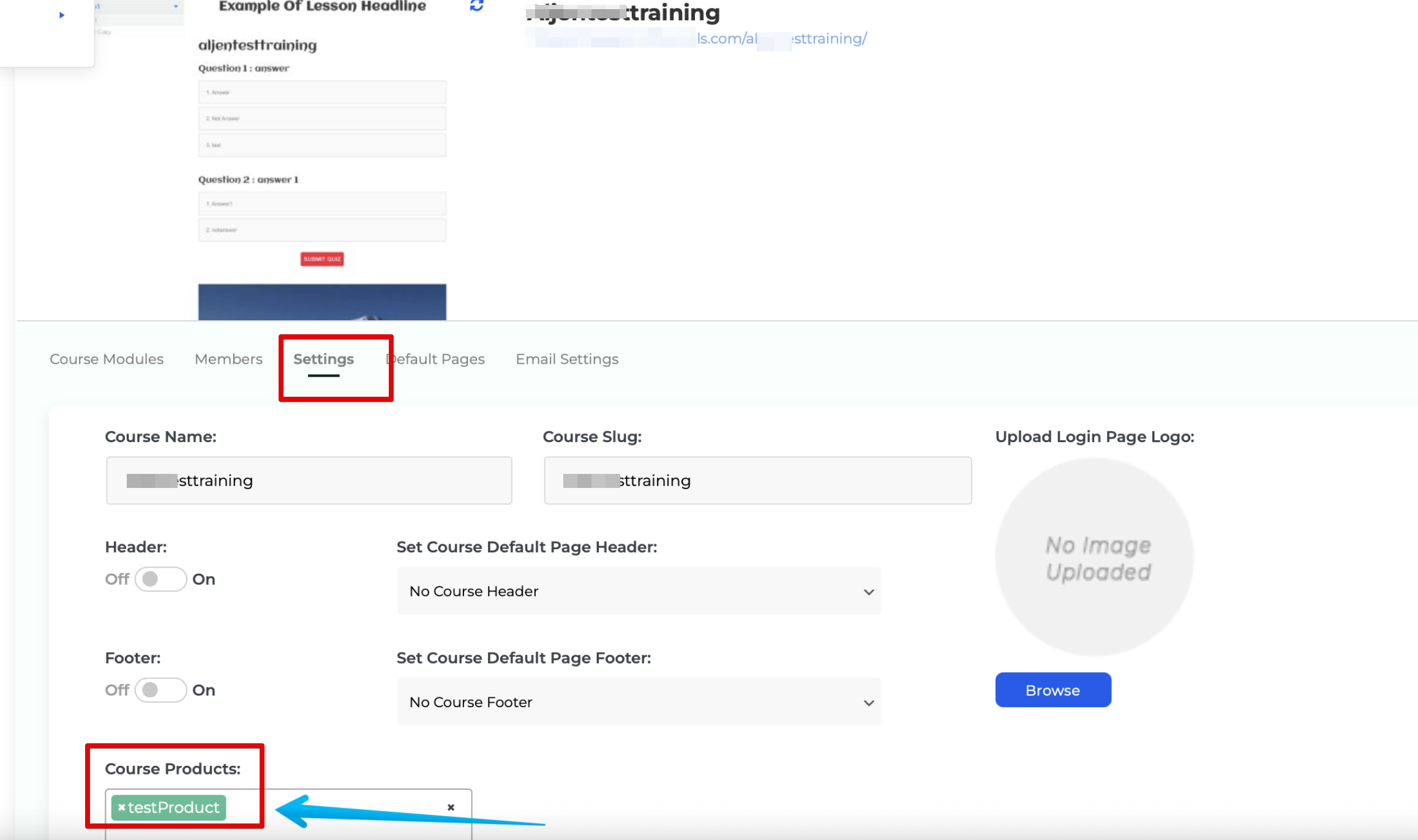
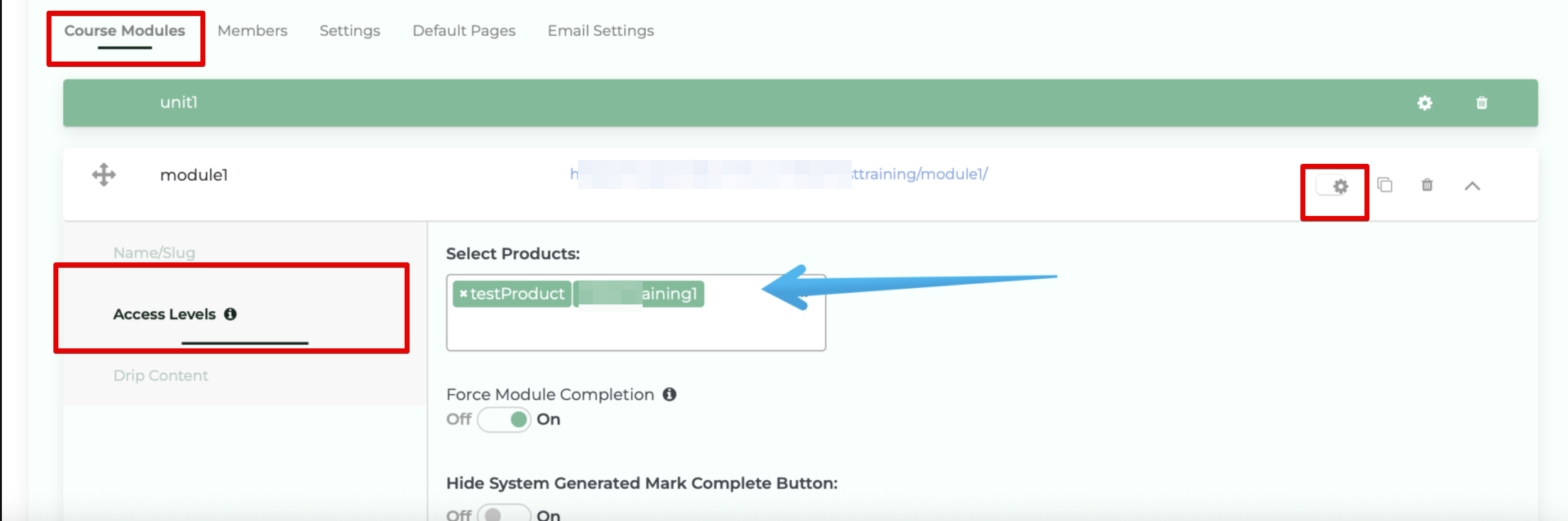
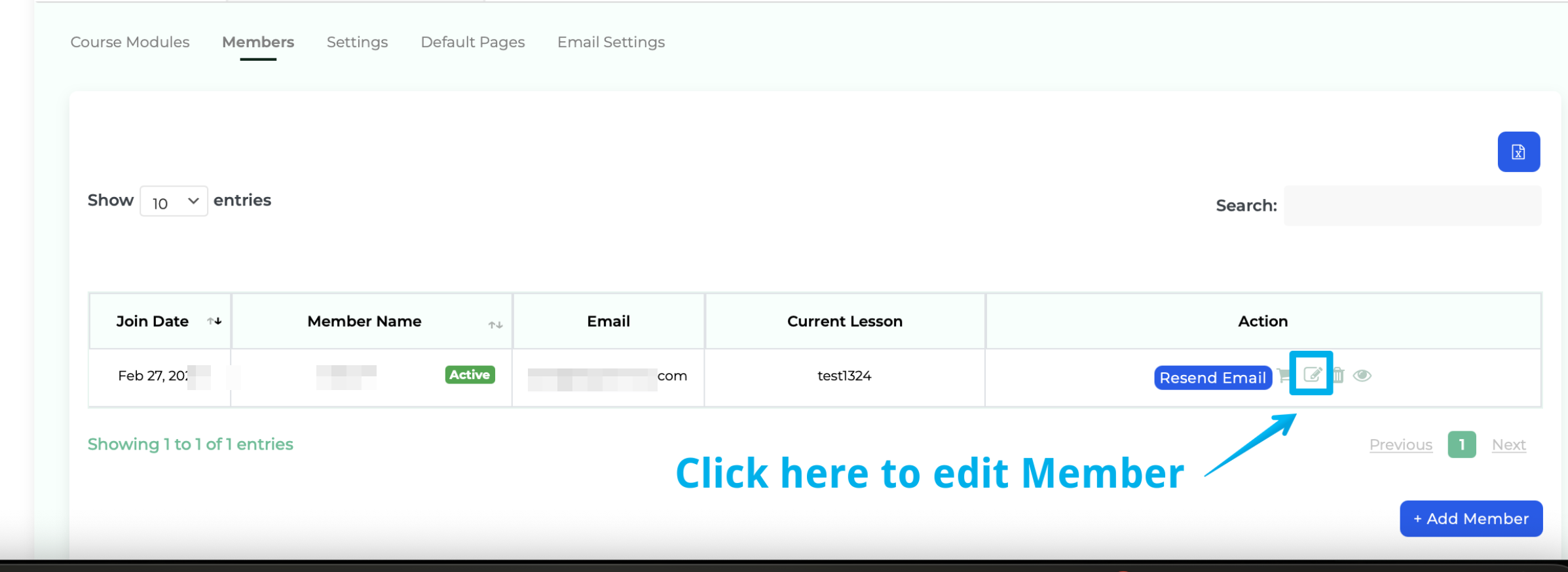
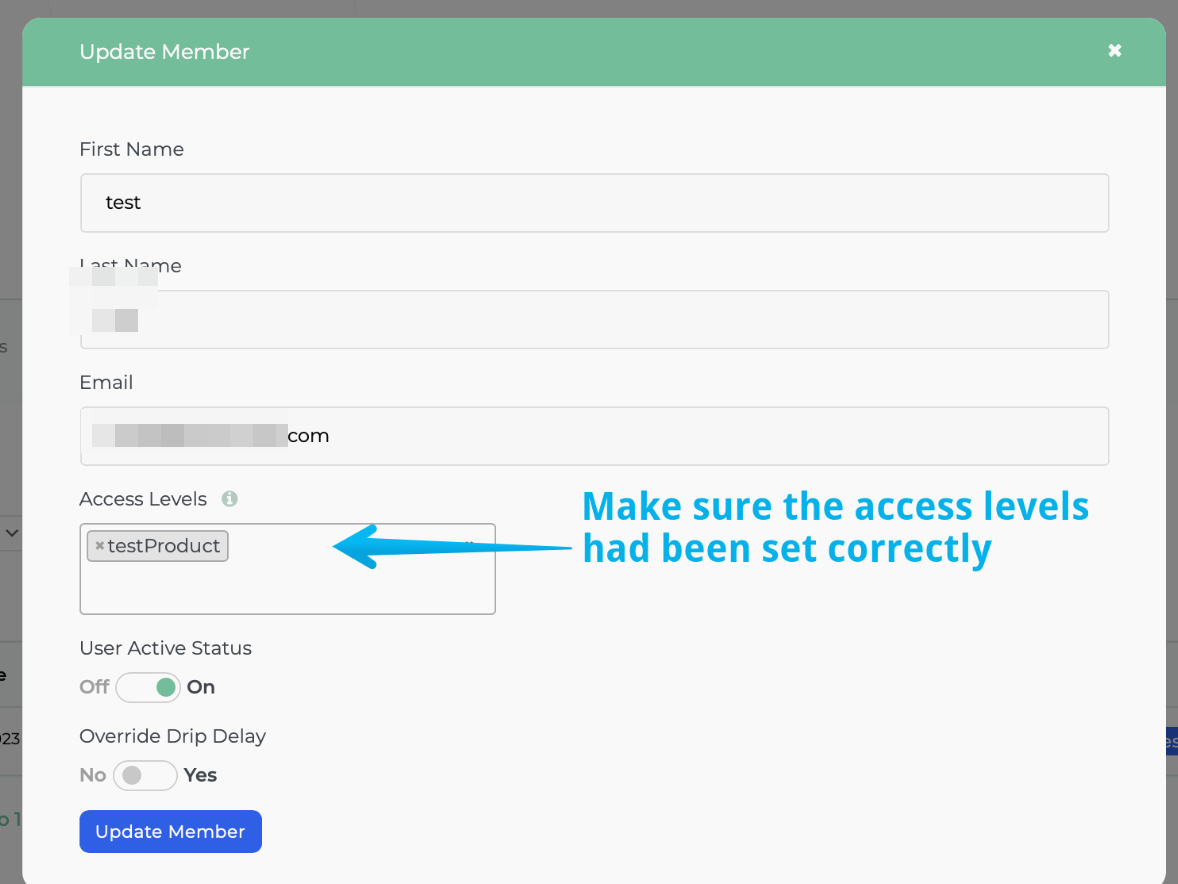
Access Levels are granted on Product by Product basis and you MUST define the Access Levels on your Course (or individual Modules) in order for the new member to receive their course credentials. You can find the Access Level Settings in one of these two places:
Course Level:
Module Level:
Member Level:
Step 3: Drip / Access Level not working
When you are logged into your admin account you will see all modules/courses/lessons and no drip rules will be applied.
You'll see a red banner at the top of your course to let you know you are logged in as an administrator.
