
"We are revamping our Knowledge Base articles to serve you better. In case you find something unusual, do not panic. Reach out to our Support Team by submitting a ticket if you ever need some help.”

Manage Saved Layout Templates

Manage Saved Layout Templates

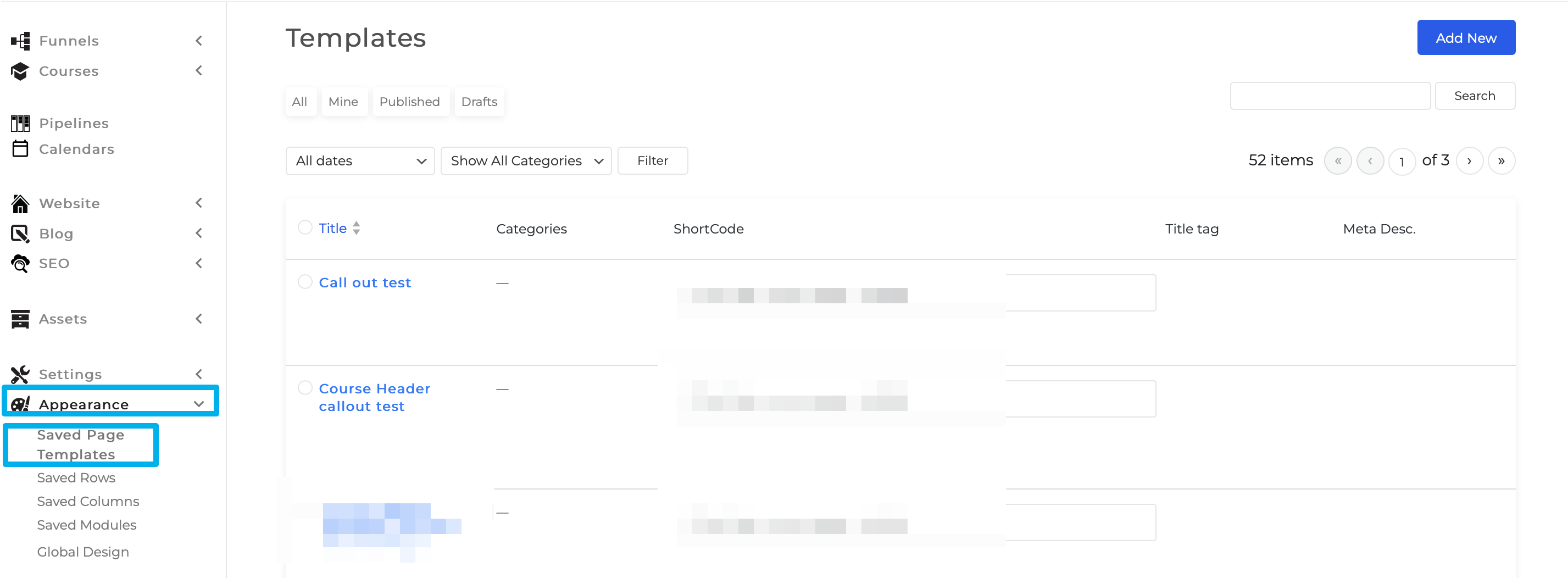
To manage saved layout templates Go to Appearance > Saved Page Templates.
Monosnap Templates ‹ COA Triage — WordPress 2023-10-26 03-00-50

To edit the Name, Category, and the Featured Image of the Saved page template.

Step 1: Go to Appearance > Saved Page Templates.

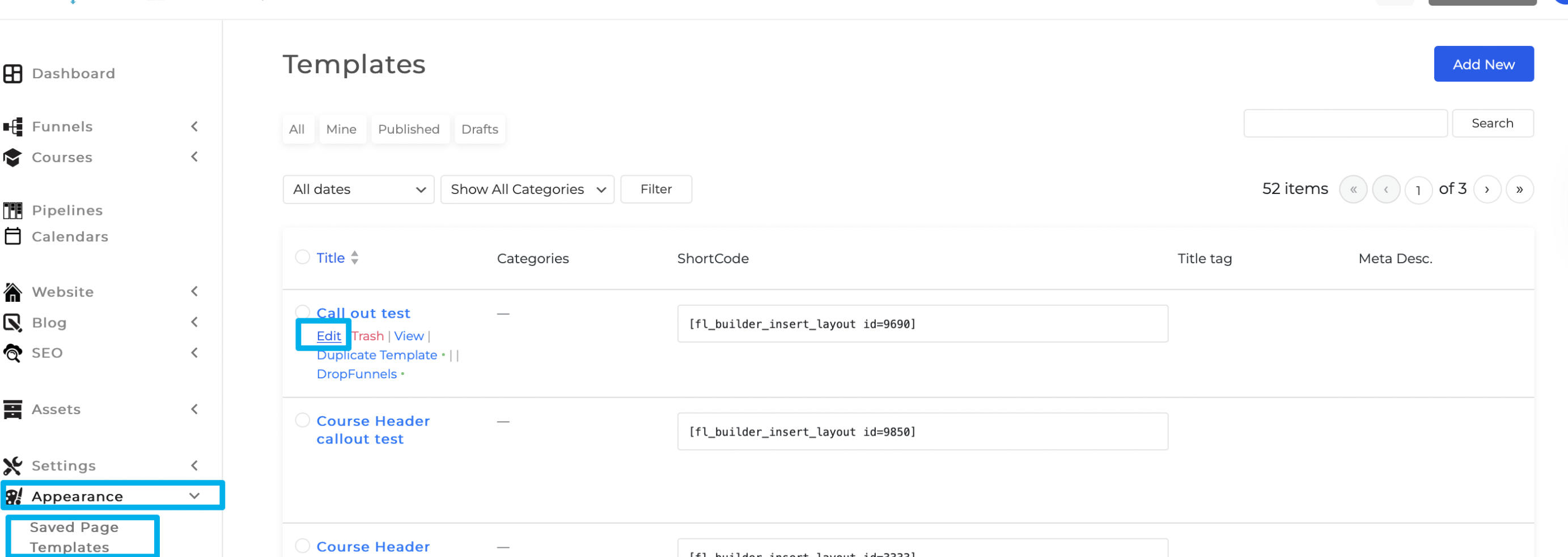
Step 2: Hover the mouse from the Saved page Template and click on Edit.
Monosnap Monosnap-Templates-‹-DF-Triage-—-WordPress-2023-10-26-03-03-57.png (2860×1070) 2025-04-23 23-20-34

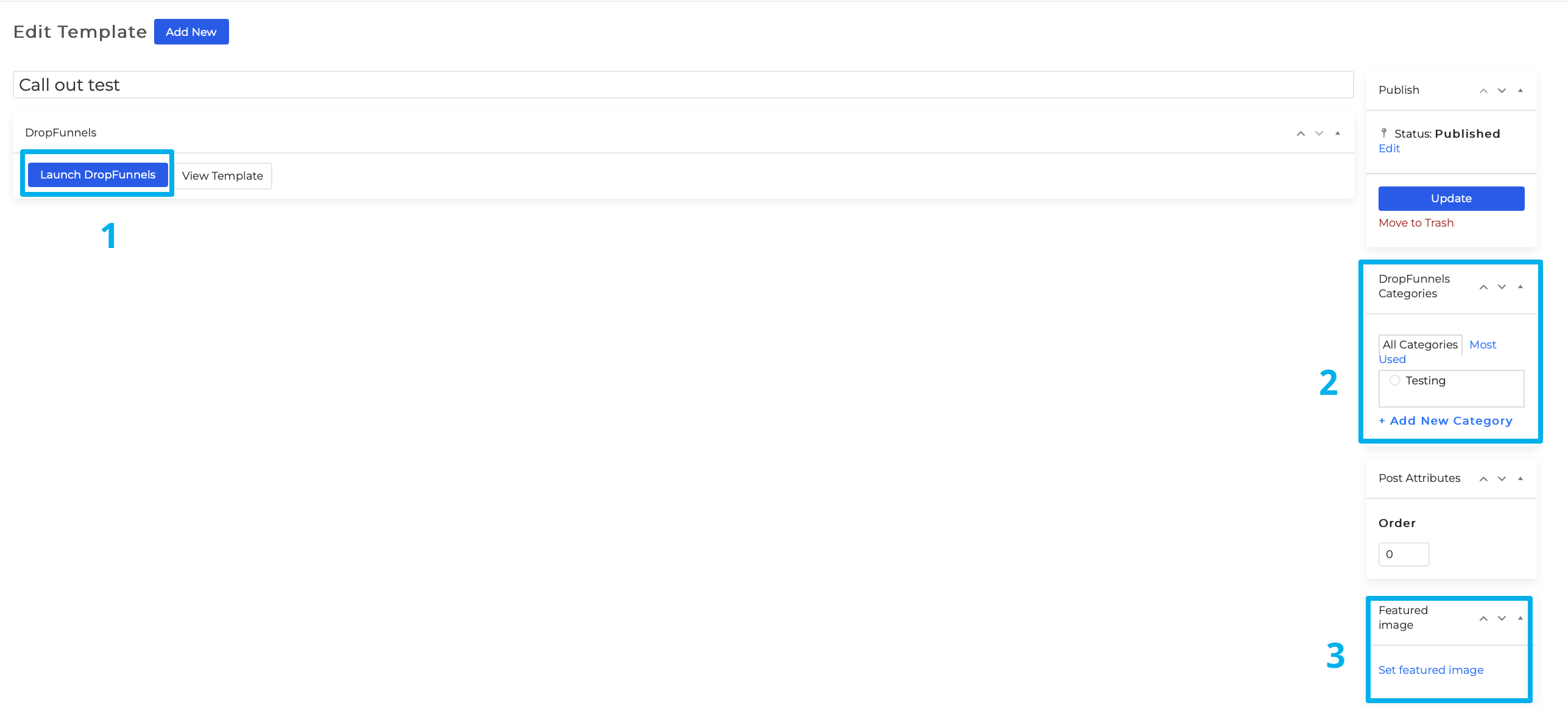
Step 3: You can now edit the saved Page template when you Launch the Clients on Automation Software Editor (1). Change/add a Category for the Saved Page Template (2) and upload a featured image (3).

Monosnap Edit “Call out test” ‹ COA Triage — WordPress 2023-10-26 03-08-04
Was this article helpful?

Related Articles