
How to login to my site
Depending on your site setup, there are two different ways to access your Clients on Automation Software dashboard. If you are still using the subdomain provided to you by Clients on Automation Software when you first installed your site, please use the Subdomain Login. If you created a custom domain, please use the Custom Domain Login.
If you are currently using a Clients on Automation Software subdomain, meaning you have NOT set up a custom domain yet, you will use the following URL to log in:
Subdomain Login: https://clientautomation.com/login
If you are using a custom domain, you must log in using the following URL.
Custom Domain Login: https://yourdomain.com/login
Are you still experiencing problems?
Download the Clear Cache Chrome Extension here and check the following items under 'Data to Remove'.
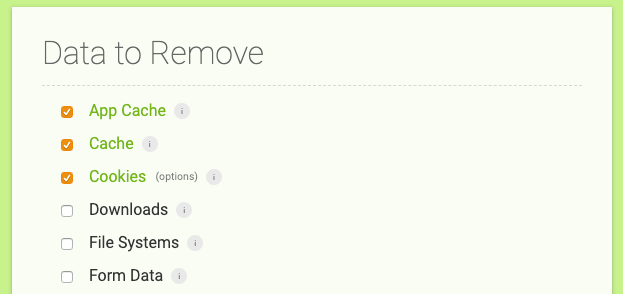
Then simply click on the Chrome Extension icon in your browser toolbar.
