
"We are revamping our Knowledge Base articles to serve you better. In case you find something unusual, do not panic. Reach out to our Support Team by submitting a ticket if you ever need some help.”
  1. Home
  2. Courses and Memberships
  3. How To Drip Your Course Content

How To Drip Your Course Content
How To Drip Your Course Content

Dripping your course content allows you to control when your customers gain access to modules, preventing them from skipping ahead. This feature is especially useful for maintaining course structure or preselling content with scheduled access.

To drip your course modules:

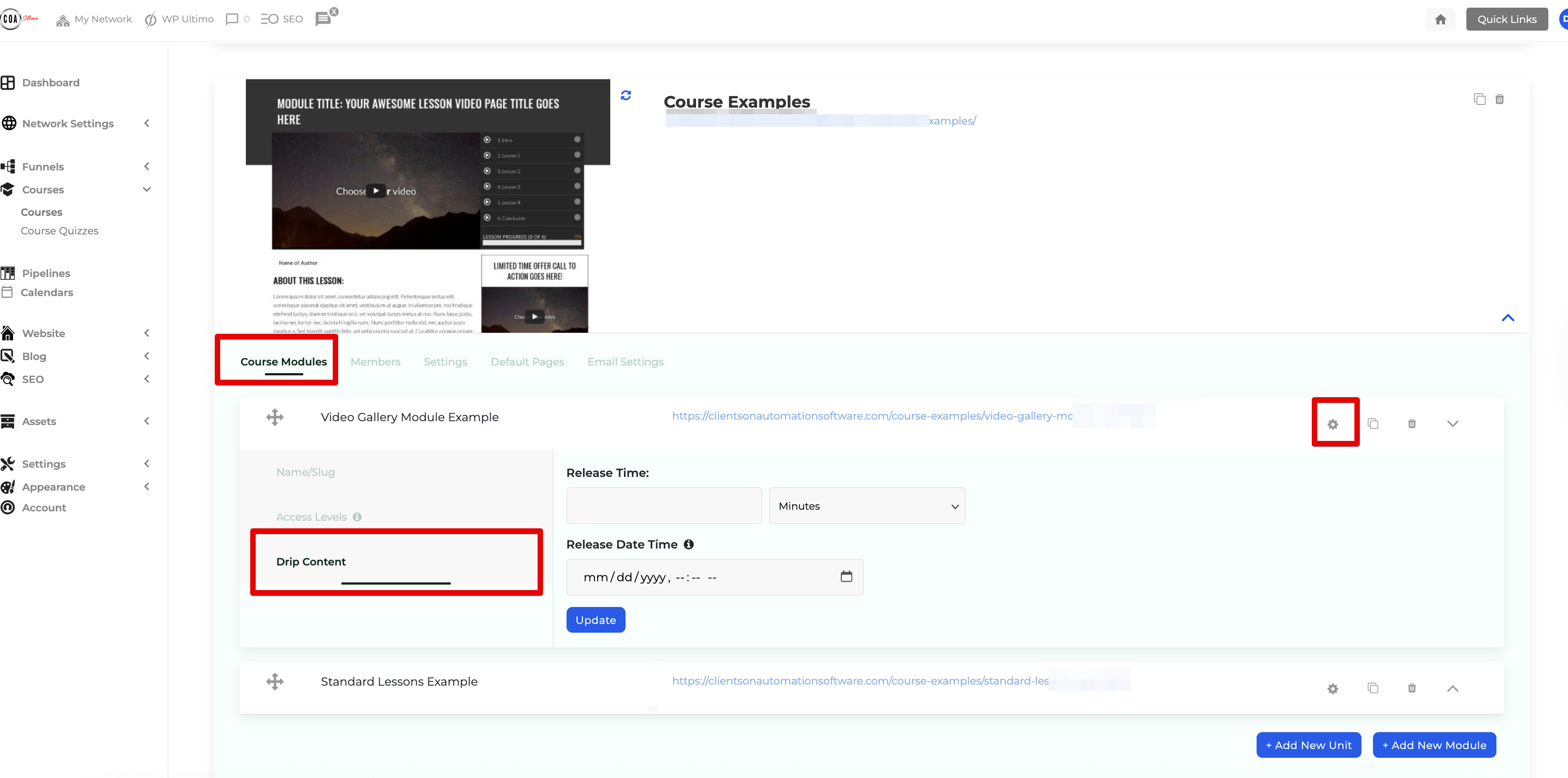
Step 1: Navigate to Dashboard > Courses > Courses and select your course.

Step 2: Go to Course Module, select the desired module, and click the Settings Icon.

Step 3: Choose Drip Content and select one of the two options:

  • Release Time: Set a release frequency (e.g., hours, days, weeks). The release is based on the user's join date or purchase date. For instance, if Module 1 is set to drip after 1 day, a customer joining today will access it tomorrow. The drip schedule uses your dashboard timezone settings (Dashboard > Settings > General Settings > Timezone).


  • Release Date Time: Specify an exact date and time for the module's release.
Monosnap Courses ‹ Clients On Automation — WordPress 2025-04-25 22-14-53

Drip Content Example

Dripping is applied module by module. If a module contains multiple lessons, all lessons unlock together.

For a 10-module course with one module unlocking daily:

  • Set Module 1 to release at 0 days.
  • Set Module 2 to release at 1 day.
  • Continue incrementally (e.g., Module 3 at 2 days, Module 4 at 3 days).

This structured approach helps manage your students’ pace while keeping them engaged and informed.

Was this article helpful?

Related Articles