
How To Add Course Module, Lesson, and Unit Inside a Course
Overview
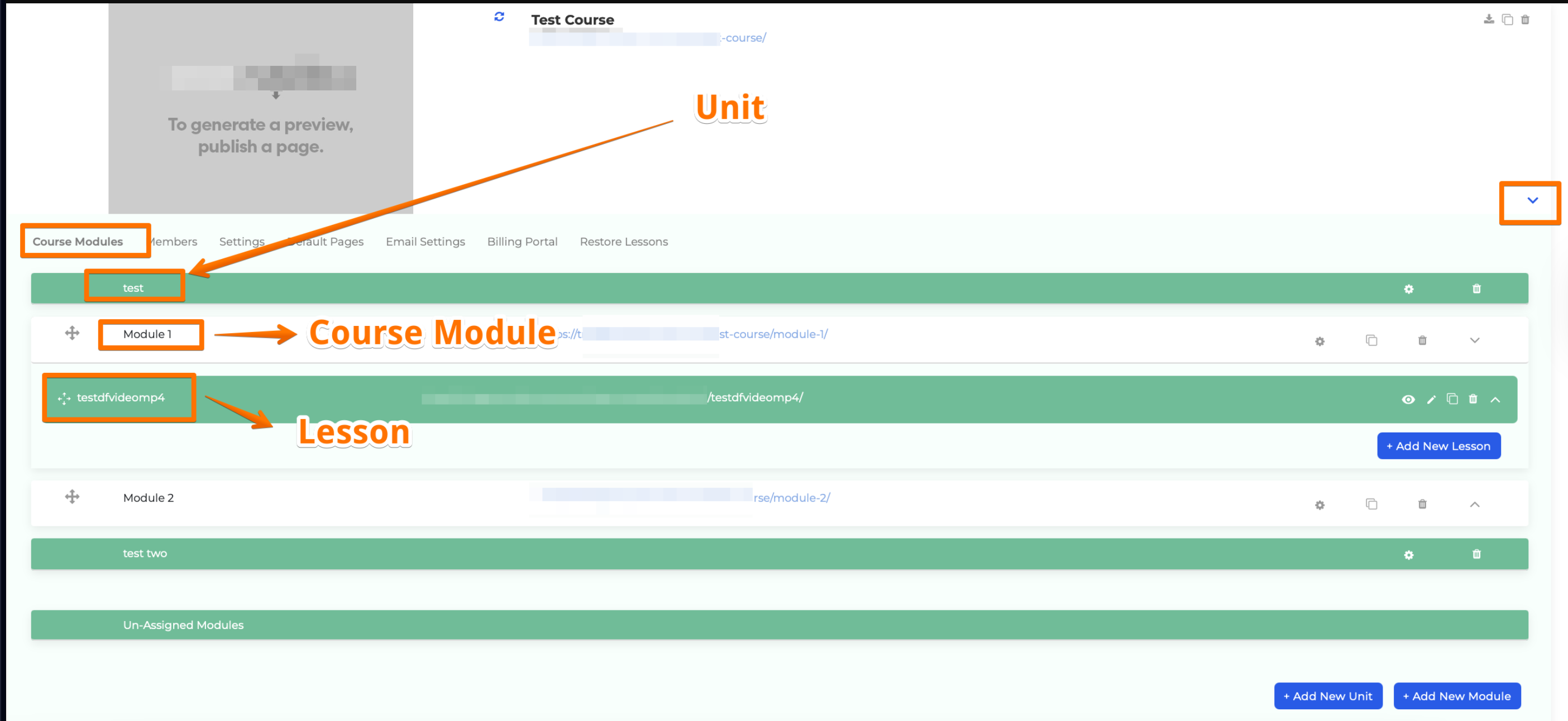
Course Modules, Lessons, and Units form the structure of your course content:
- Modules: Serve as folders for organizing lessons.
- Lessons: Contain your content, such as videos or digital materials.
- Units: Group modules for better segmentation and organization.
How to Add a Course Module
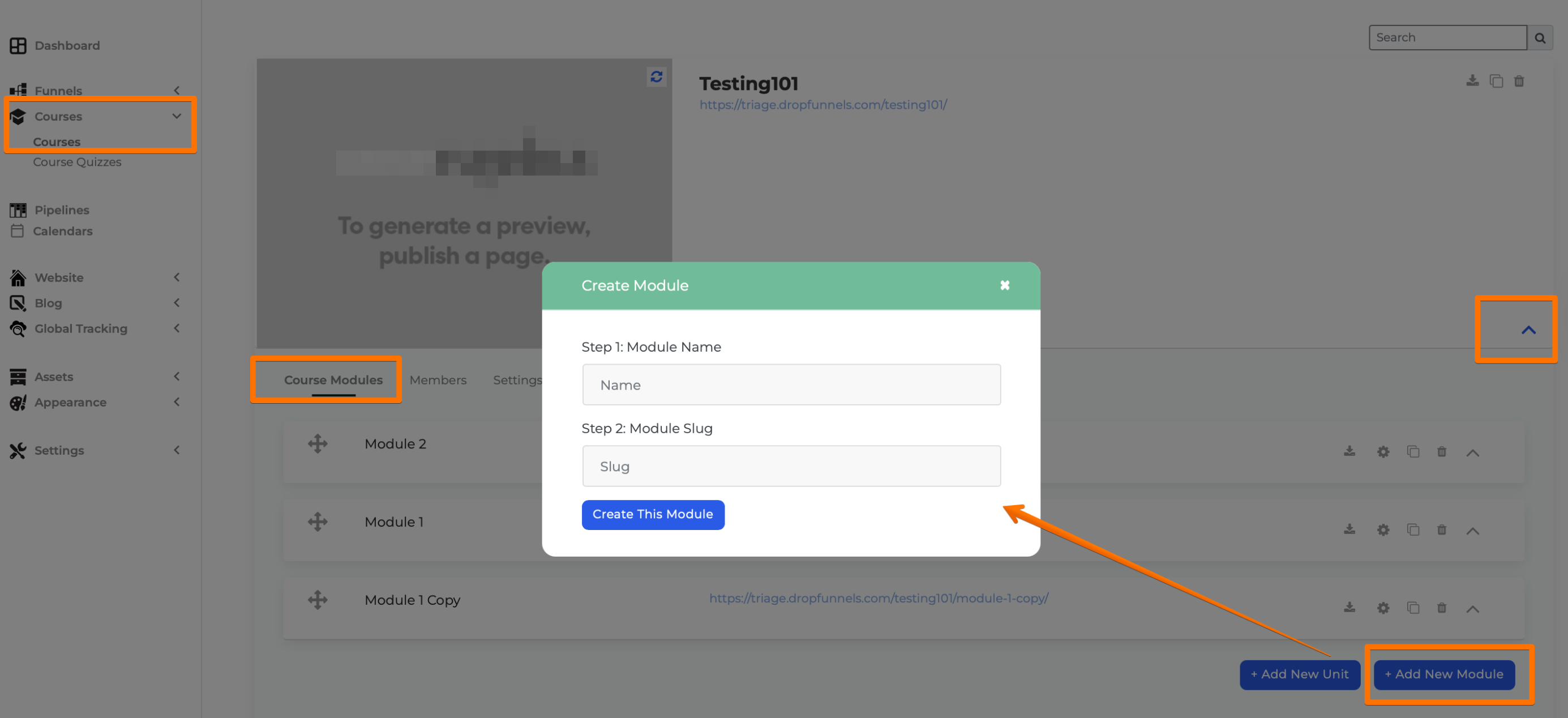
Step 1: Go to Dashboard > Courses > Select a Course or create a new course.
Step 2: Click the Dropdown Arrow next to the course to expand the module options.
Step 3: Click Add New Module.
Step 4: Enter the Module Name and Slug/URL.
Step 5: Save the module by Clicking "Create this Module".
Tip: Modules allow you to set features such as:
How to Add a Lesson
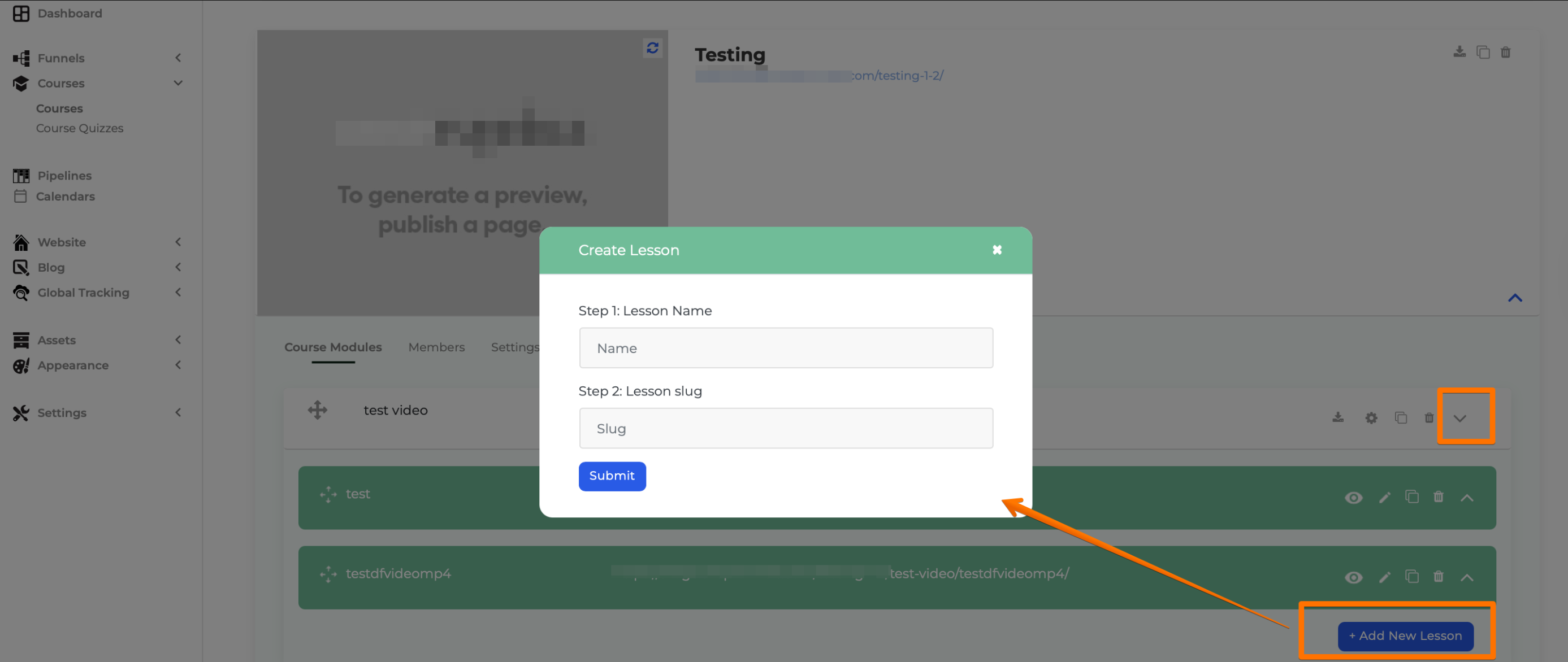
Step 1: Navigate to a specific Course Module.
Step 2: Click Add New Lesson.
Step 3: Enter the Lesson Name and Slug/URL.
Step 4: To edit the lesson content, click the Pen Icon.
- This opens the Clients on Automation Software Page Editor for customizing the lesson.
- By default, lessons use the Default Lesson Page Template.
How to Add a Unit
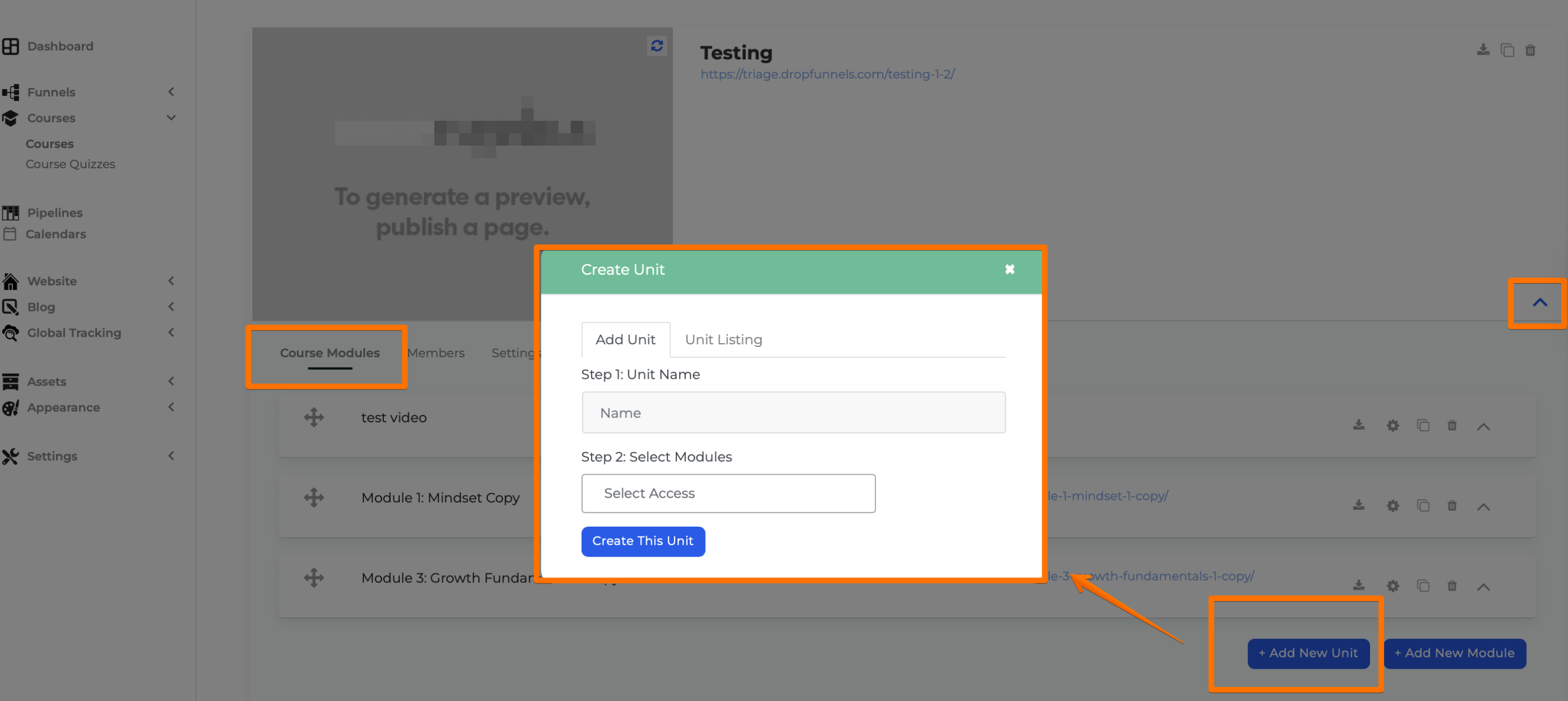
Step 1: Inside a Course, click Add New Unit.
Step 2: Enter the Unit Name.
Step 3: Select the modules to include under the unit.
Step 4: Save the unit.
Tip: Learn more about Course Units.
Reordering Modules and Lessons
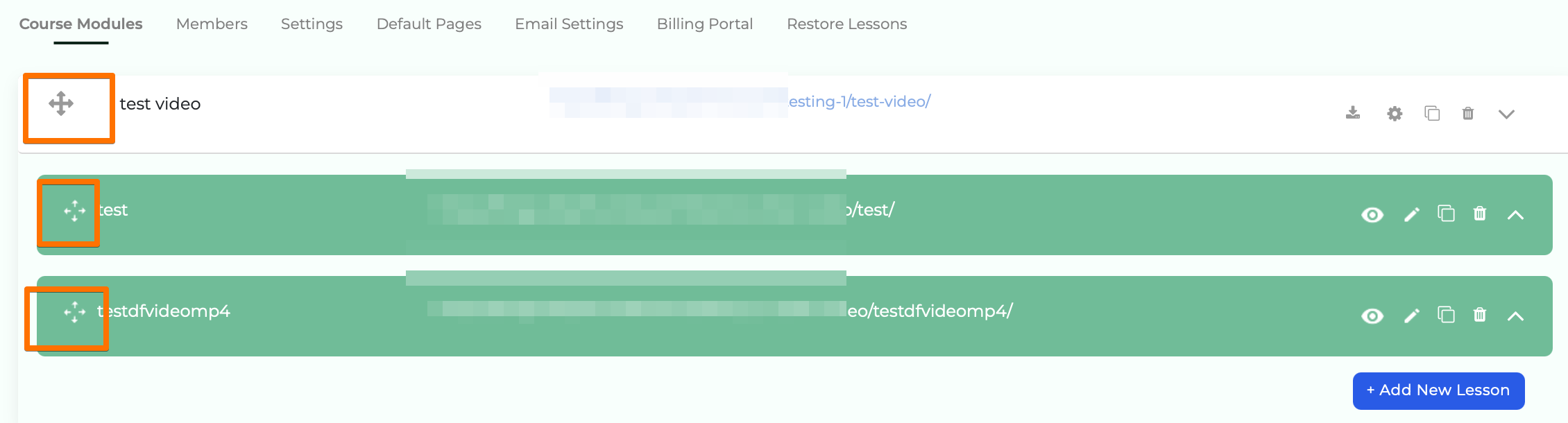
- Use the Cross Arrow Icon to drag and rearrange modules or lessons.
- Adjust them to fit your course structure seamlessly.
By organizing your content into modules, lessons, and units, you can create a more streamlined and engaging course for your students.
