
General Settings
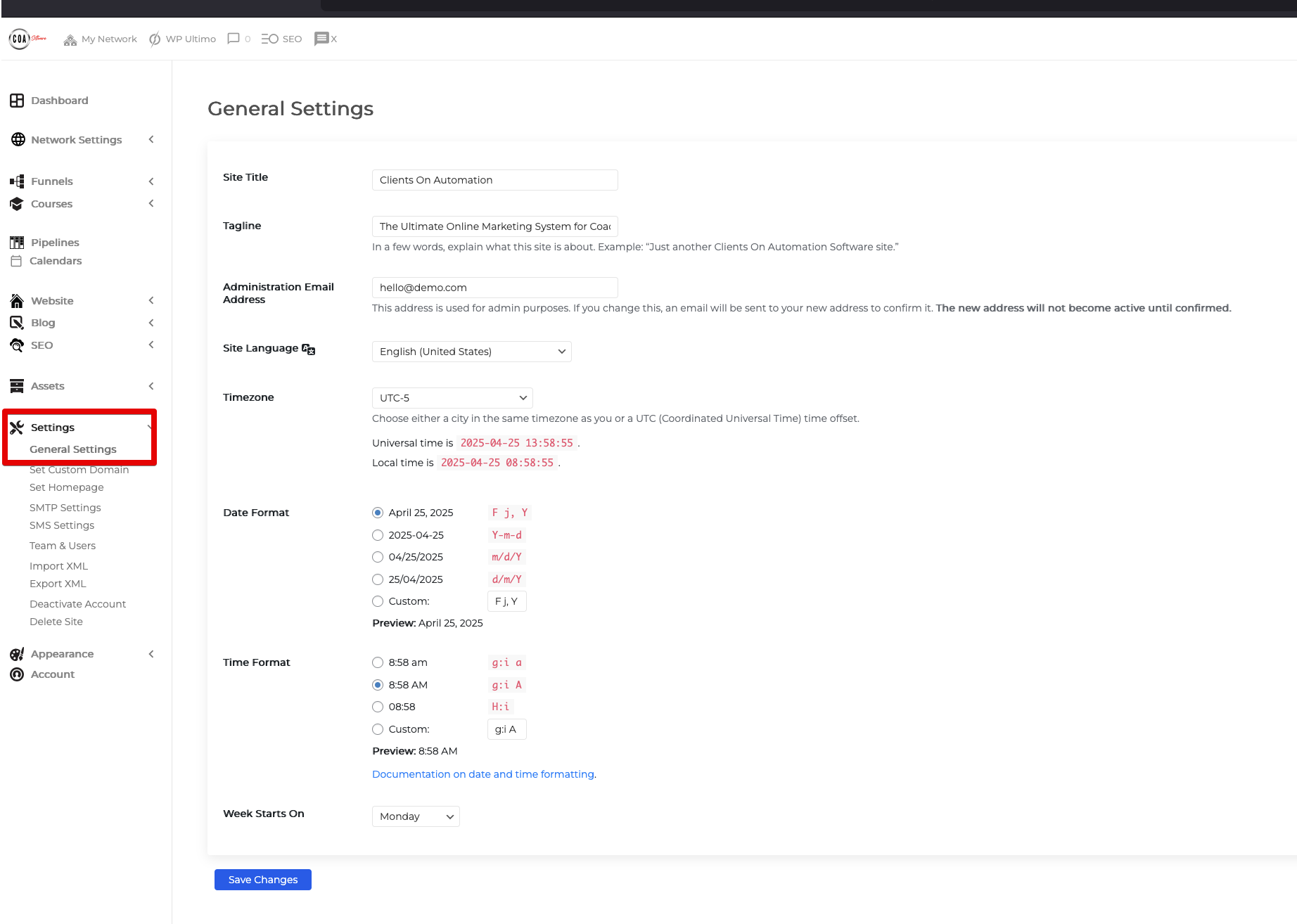
The General Settings are located on your dashboard and allow you to modify the Site Title and other options, as further explained in this guide.
Key Features
Site Title: If you'd like to change the site name you are seeing within your funnels you can change your site name by going to Settings > General Settings and then edit the "Site Title".
Tagline: In a few words, explain what this site is about. Example: “Just another Clients on Automation Software site.”
Administration Email: This address is used for admin purposes. If you change this, an email will be sent to your new address to confirm it. The new address will not become active until confirmed.
Site Language: Change the Language of the User Interface (UI) of your Clients on Automation Software dashboard.
Timezone: Change the default timezone of your site. (Note: The drip feature will be dependent on your timezone when releasing a dripped module or content.)
Time and Date Format: Edit the format or on how you will display the time and date. Documentation on date and time formatting.
Week Starts On: Specify the day of the week on which you'd like to initiate the process.
