A general overview of the dashboard
The dashboard is where all the magic happens on your website. This article will provide an overview of the different areas you can navigate to when logged in.

Starting up at the top navigation bar, you have the following:
- The Clients on Automation Software logo in the top left is your 'Home' button. Click on it anywhere within the admin dashboard and it will take you to the welcome screen.
- My Sites - clicking this will launch a list of websites and funnels you have in your account.
- Comments - new comments that have been posted on your website that are pending approval.
- Homepage Icon - this will direct you to your homepage.
- Quick Links Icon - provides quick access in creating a new funnel, new course, new page, new product, new blog post, setting up a payment gateway and a quick access to Knowledge Base.
- Account access and Log Out
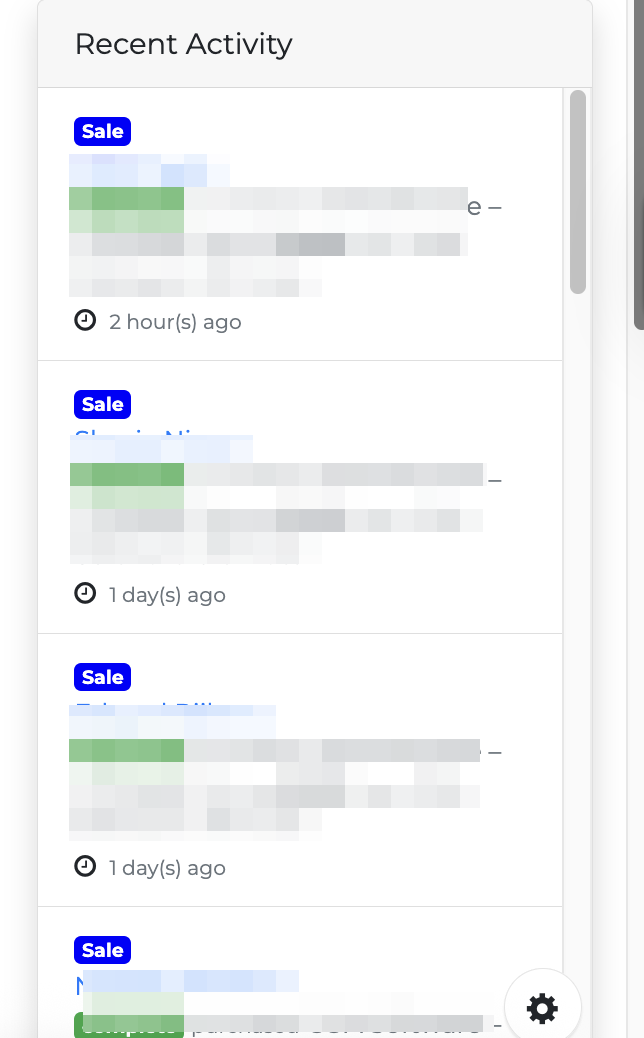
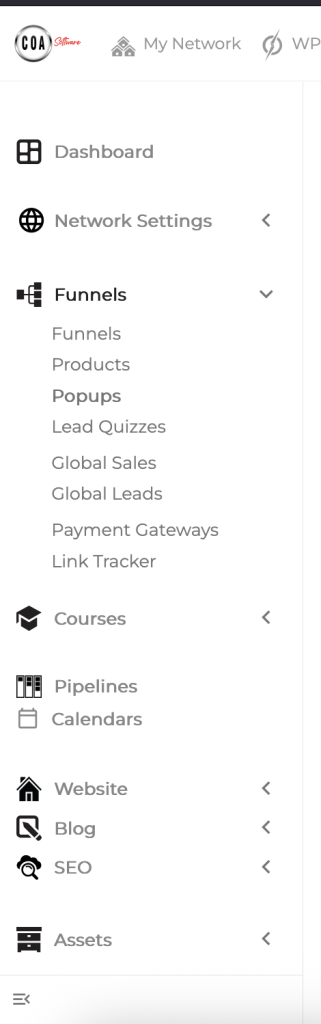
The left sidebar is your main navigation and provides access to your funnels, pages, posts, templates, and settings.
Reports Overview
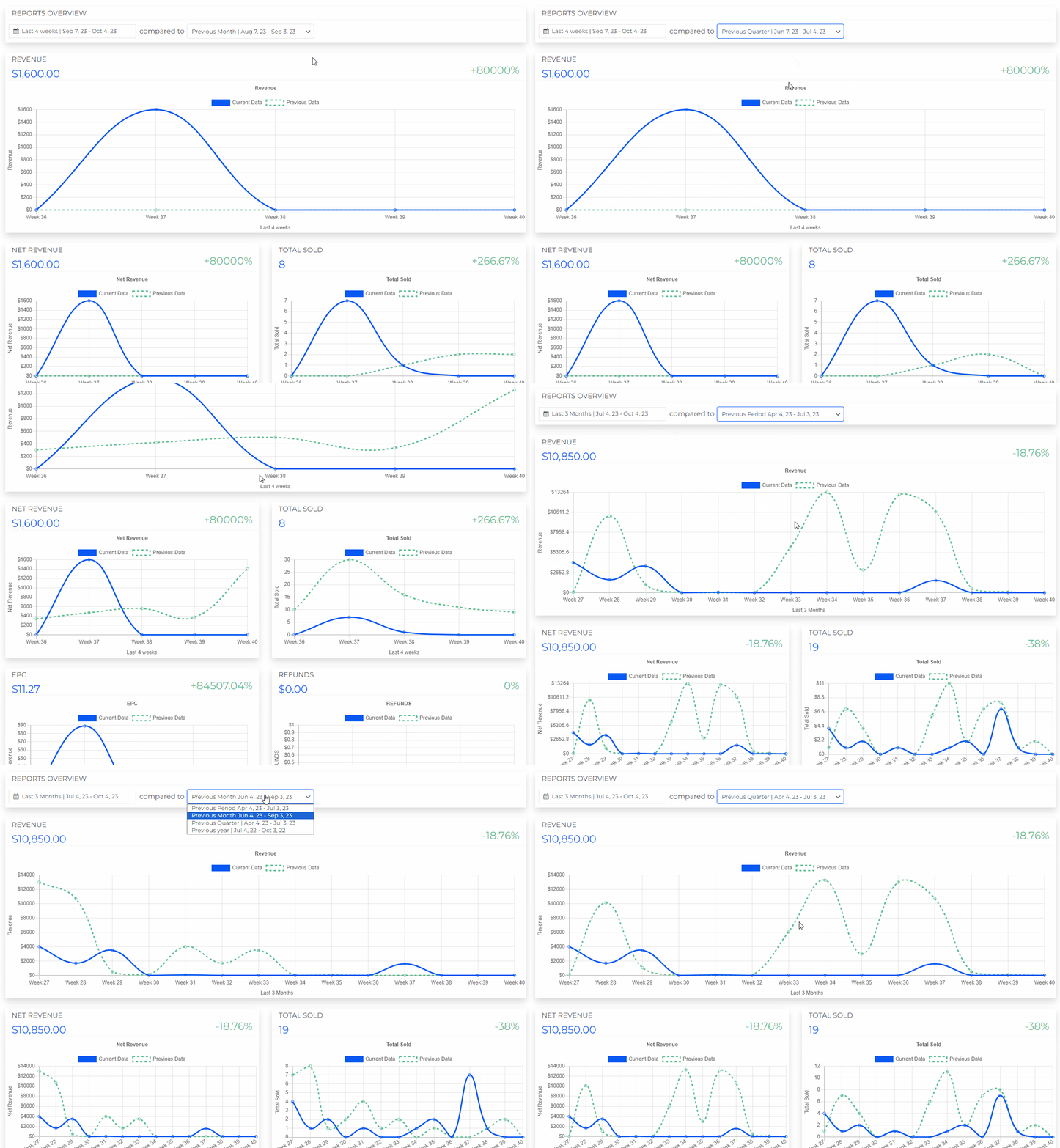
This option allows you to select a Date so you can compare your Current Revenue and your Previous Revenue (Period/Month/Quarter/Year). It also comes with a Line Graph so you can visually see the difference and this gives you an idea of what to maintain and what to improve in your strategy.
Changing the Date on Reports Overview
When you change the date on the reports overview you will notice that all the graphs below for Revenue, Net Revenue, Total sold, EPC, Refunds, Traffic, and Leads, will dynamically change based on the selected date.
When you change the date on the reports overview you will notice that all the graphs below for Revenue, Net Revenue, Total sold, EPC, Refunds, Traffic, and Leads, will dynamically change based on the selected date.
News and Updates
This is where we update you about the cool stuff, such as Clients on Automation Software's New Features, Master Class, Webinars, and Promotions. Clicking on the banner will redirect you to a page that will give you more information.

Recent Activity
This area gives you a quick overview of the most recent activities within a month such as Sales from your checkout page and Leads from your opt-in form. The information that will get includes the name, email, name of the funnel source, and amount per sale. This will help you easily track what specific funnel is giving you results.