
Content Toggle Module
The Clients on Automation Software Content Module empowers you to create interactive content that allows users to toggle between messages, statements, images, or any content you wish to display with the use of a button switch.
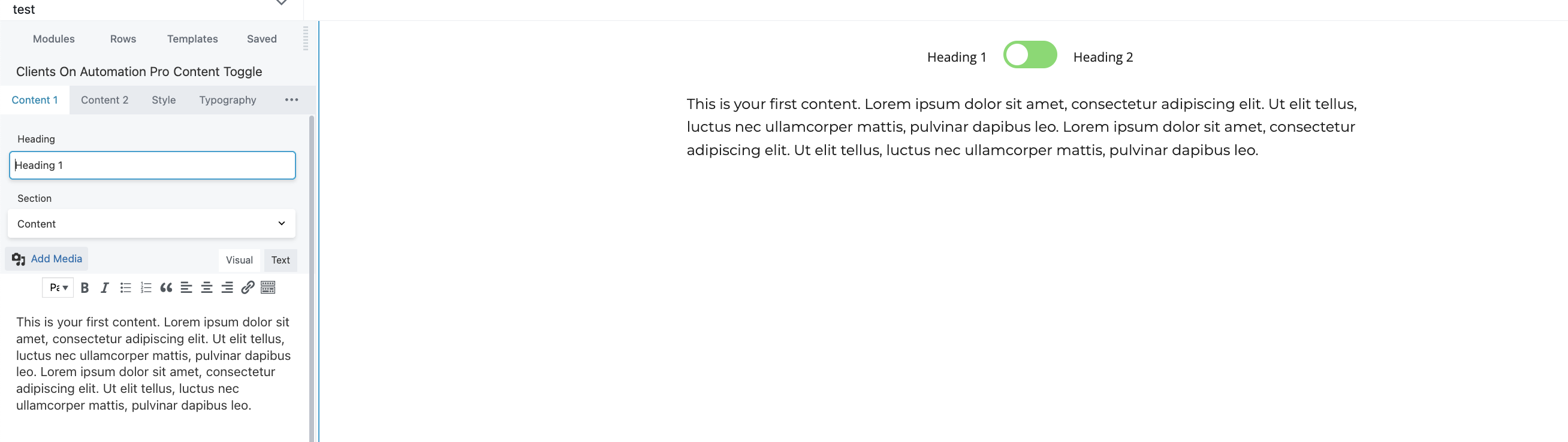
Content 1 and Content 2 tab
In this tab, this enables you to create a content that will show once the button is toggled to switch from Content 1 and 2.
Note: (Under the Section, it allows you to add a Saved Rows, Saved Modules, and Saved Page Templates.)
Style tab
It allows you to configure the styling of the module.
Typography tab
The default Typography of the text can be seen here where you can edit.
Advanced tab
There are all the usual Advanced tab settings for margins, visibility, animations, and advanced HTML settings.
