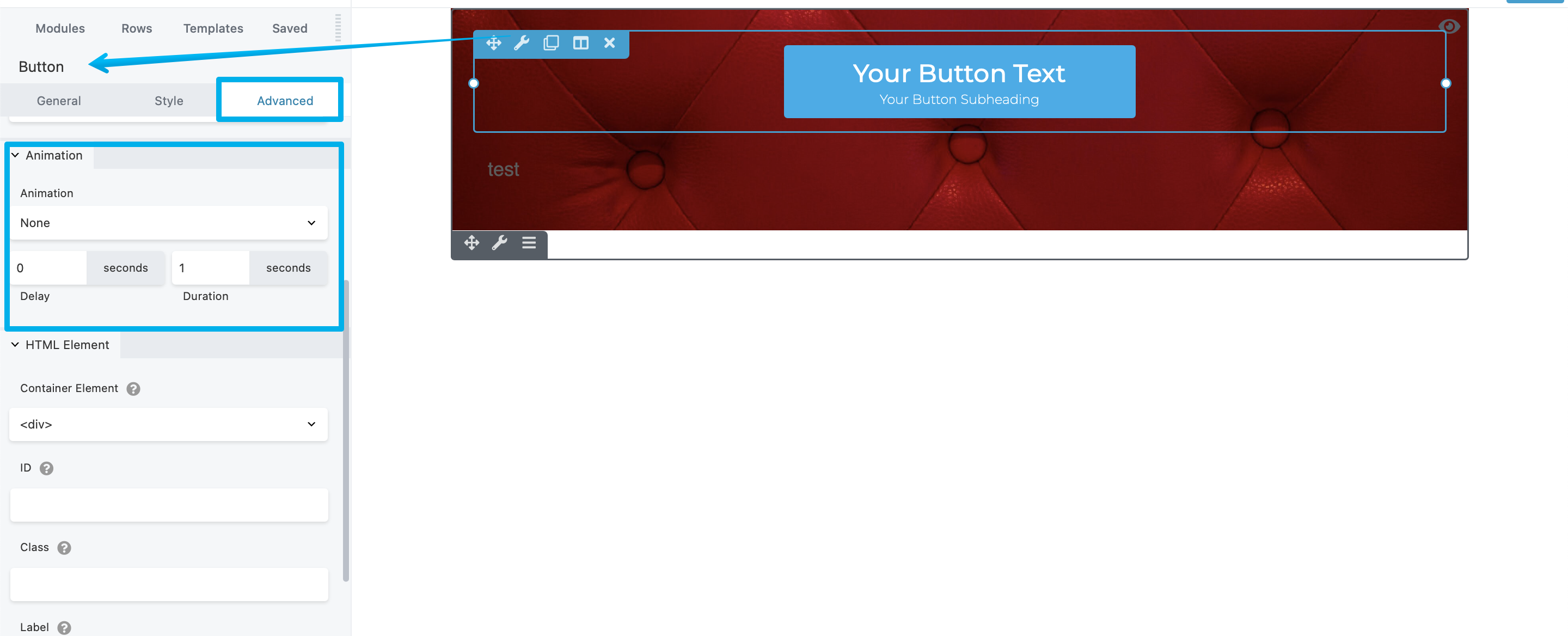
Animations
You can add an entrance animation to any row, column, or module when it becomes visible for the first time on a page, with the following animation types and choices.
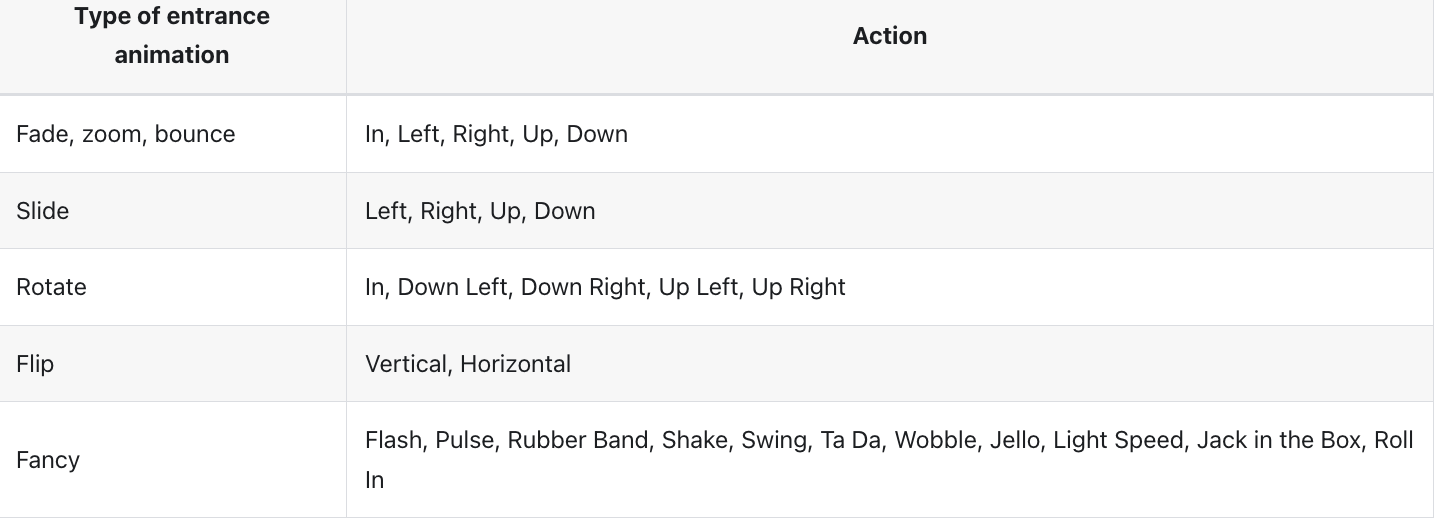
You can also choose the time delay before the animation begins.
To animate a row, column, or module
Step 1: Open the row, column, or module for editing by clicking the wrench icon.
Step 2: Click the Advanced tab and scroll to the Animation section.
Step 3: Specify a time delay in seconds for the animation to begin. Decimals are allowed.
Note: During the delay period the item will not display, so don't set the delay time so long that your visitors scroll past the item without seeing it.