
How to move a Whole Column
Step 1: Mouse Over Element -> Click Edit Column
Mouse over an element within the column you'd like to move and click Edit Column.

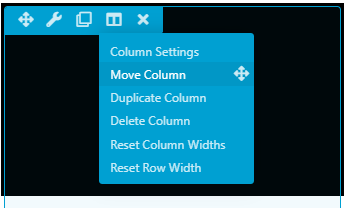
Step 2: Click and Hold Move Column
Select the move column option and continue to hold your mouse button down.
Step 3: Drag the column
You can now move the whole column around the page.
