
How to allow Customer To Change Course Password
Step 1: Expand your course settings
Click your course to expand its settings.
Step 2: Ensure you have the users email
If you do not have the users email address use the members section to find it.
Step 3: Click Default Pages
Within the Course navigation click "Default Pages"
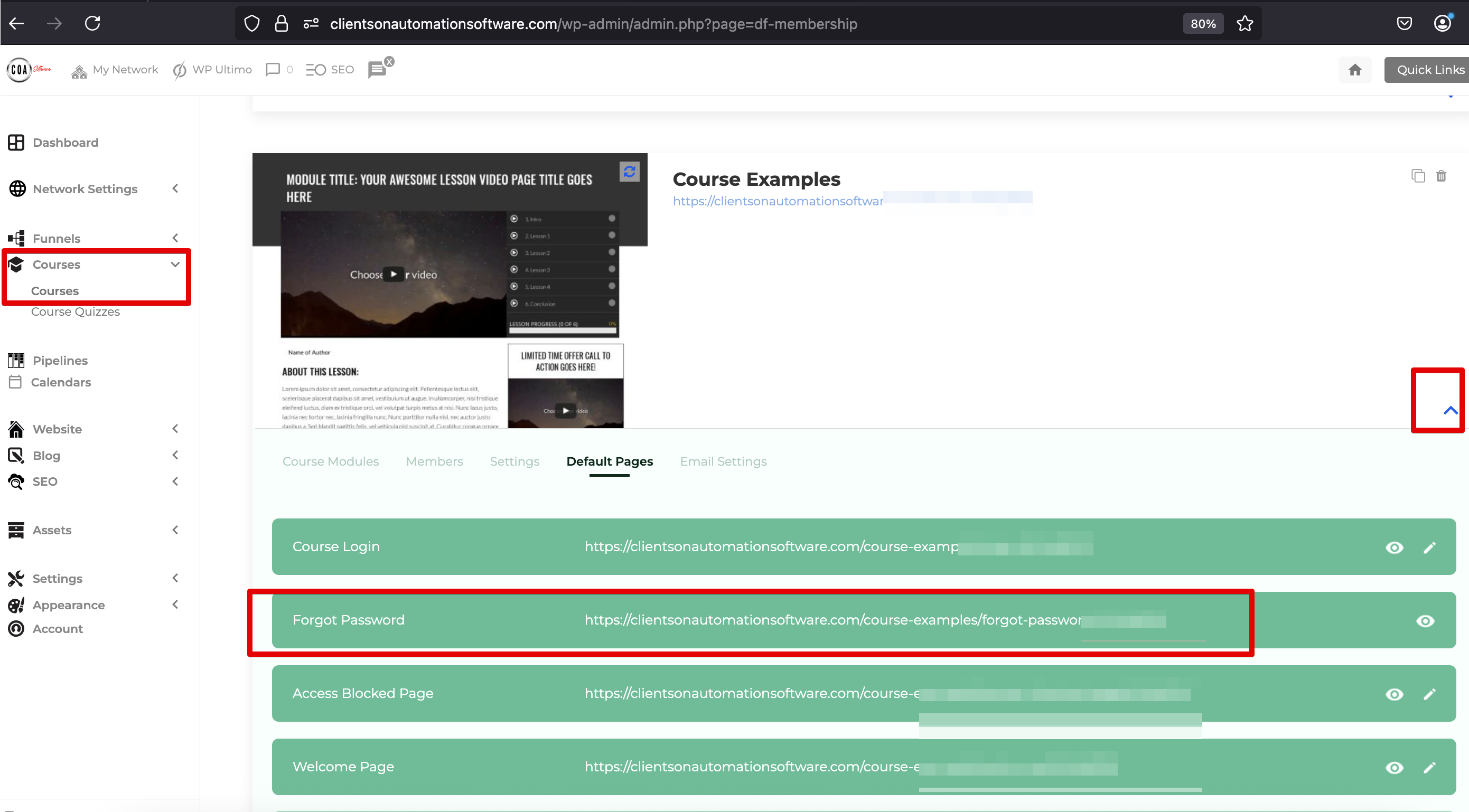
Step 4: View the forgotten password page and submit the customers email
Click to view the Forgotten Password page, enter the users email and submit.
The customer will be sent a password reset link which allows them to choose a new password.
