
"We are revamping our Knowledge Base articles to serve you better. In case you find something unusual, do not panic. Reach out to our Support Team by submitting a ticket if you ever need some help.”
  1. Home
  2. Funnel
  3. Getting Started With Funnels
  4. How to Change Your Funnel Name and Slug

How to Change Your Funnel Name and Slug

How to Edit Funnel Step Name & Slug

In this guide, we'll walk you through on how you can edit/change the Funnel Name and Funnel Slug.

Step 1: Go to Funnels > Funnels Select a Funnel.

Step 2: Click the Settings Tab.

Step 3: Make the necessary changes to the Funnel Name and Funnel Slug fields.

Step 4: Click Update in the bottom left of the panel
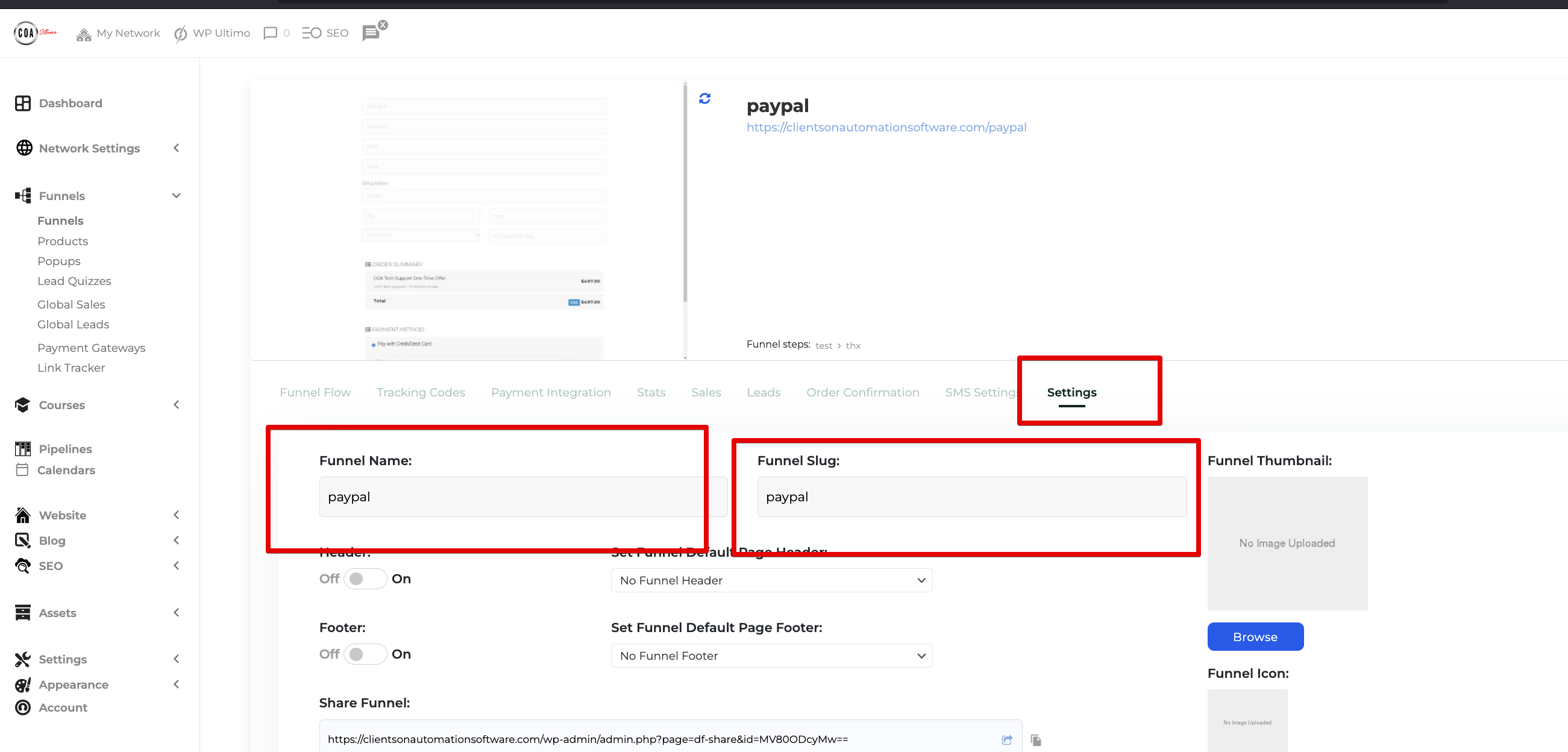
Monosnap Funnels ‹ Clients On Automation — WordPress 2025-04-25 22-02-48
Was this article helpful?

Related Articles
