
How to troubleshoot a Page that is not displaying correctly
Page Columns showing incorrect width?
If your pages are getting displayed like this:

To fix this you need to fix the Row and Column width.
You can click the Hamburger Menu on the focus box and click Column Settings -> Reset Row / Column width.
You can also go to the Outline view> open Row/Column Settings and enter the correct value for width, in most cases you need to put 100% on width.
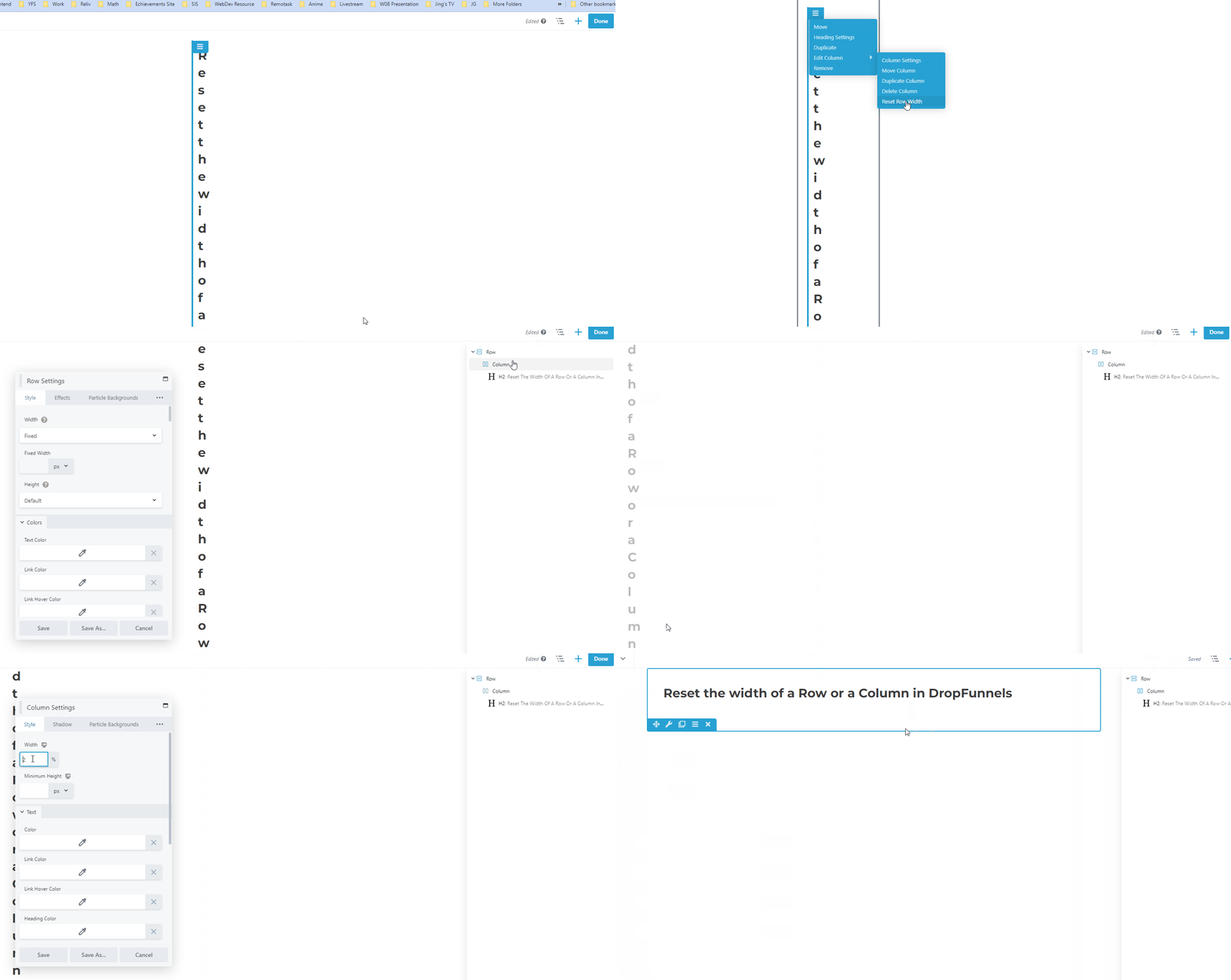
This action may have to be performed for each and every Row / Column on the page.
