How to Block or Hide a Page/Post/Funnel From Search Engines
In certain situations, you may want to hide or prevent indexing of various pages, funnels, or posts from search engines. To achieve that, we need to add the "noindex" meta tag to the Header Section of your Page/Post/Funnel/Funnel Step.
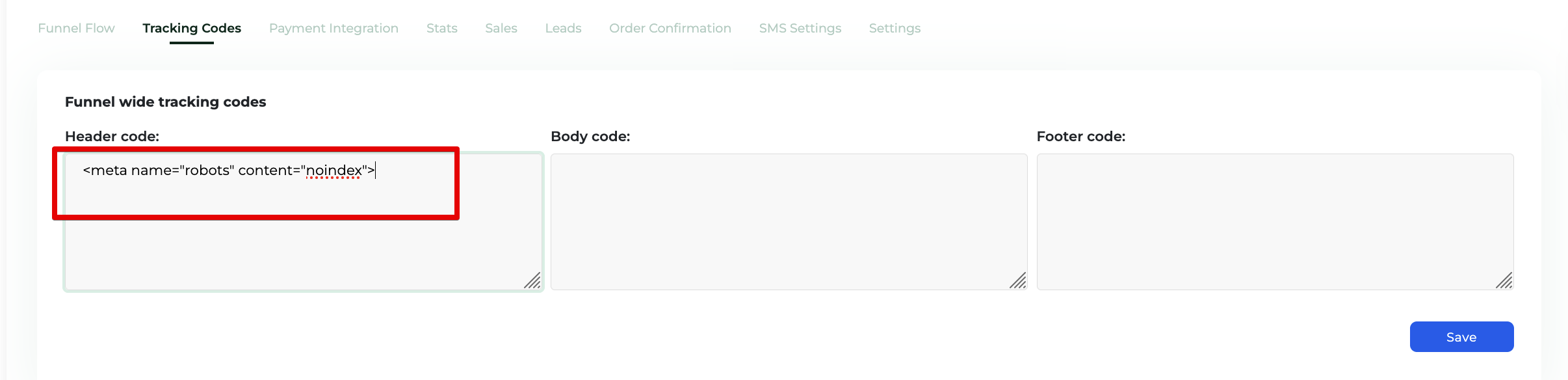
Simply copy this line and paste it into the Header Section (information below) of the Page/Post/Funnel/Funnel Step/etc:
<meta name="robots" content="noindex">Where to find the Header Tags
On Website Pages or Blog Posts:
Step 1: Go to the Page/Post that you want to hide from search engines, mouse over the Page/Post title and you'll see an additional menu > Click Edit.

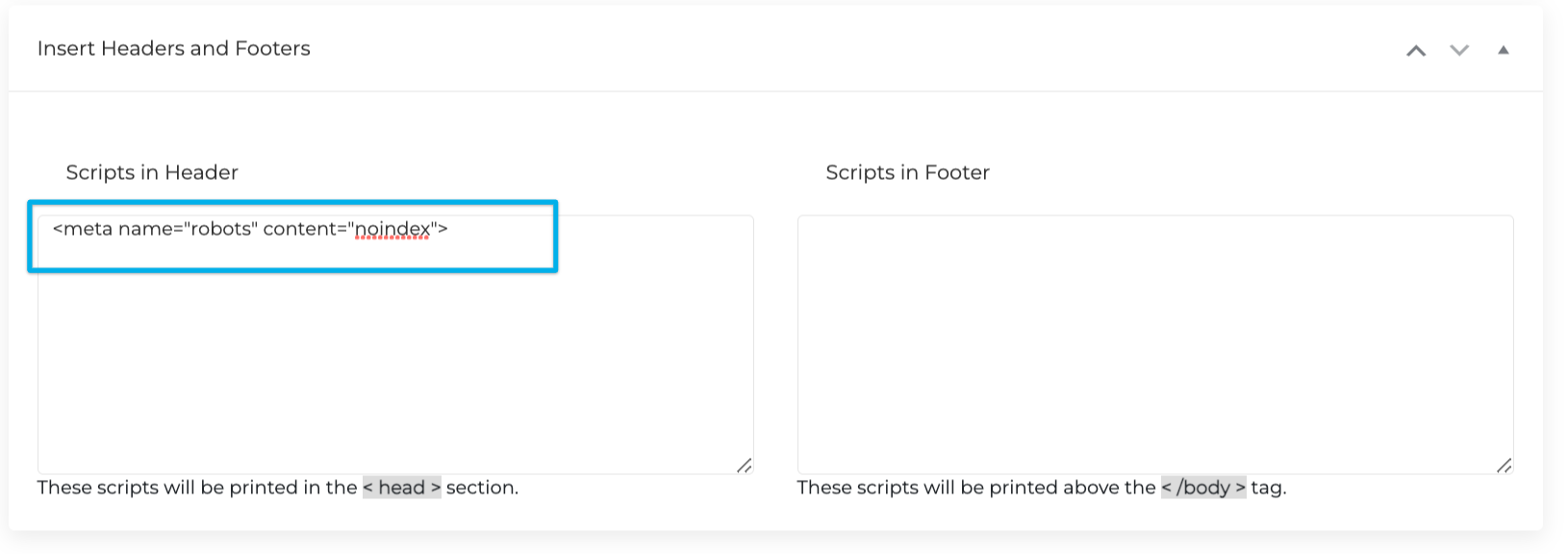
Step 2: Scroll down to the bottom of the page and you'll see a section called "Insert Headers and Footers" as seen below and paste the code inside the header section.
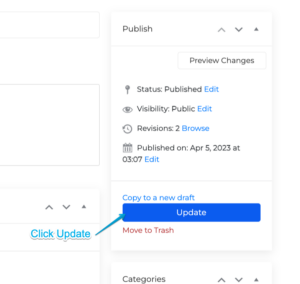
Step 3: Scroll to the top to Update the settings on the right column.
On Funnels:
Go to the Funnel that you want to hide from search engines > Tracking Codes > Header Code > Paste the code > Save