How to Share Your Funnels / Courses
One awesome feature in Clients on Automation Software is that you will be able to share your creation to other Clients on Automation Software users, or even sharing across your different sites under the same Clients on Automation Software account.
Things you can share from your Clients on Automation Software account.
- Website Pages and Blog Posts
- Funnels and Courses
We will cover the steps on how to share your Funnels and Courses in this article.
For website pages and blog posts, please go to this article for instructions.
Sharing Your Funnels / Courses
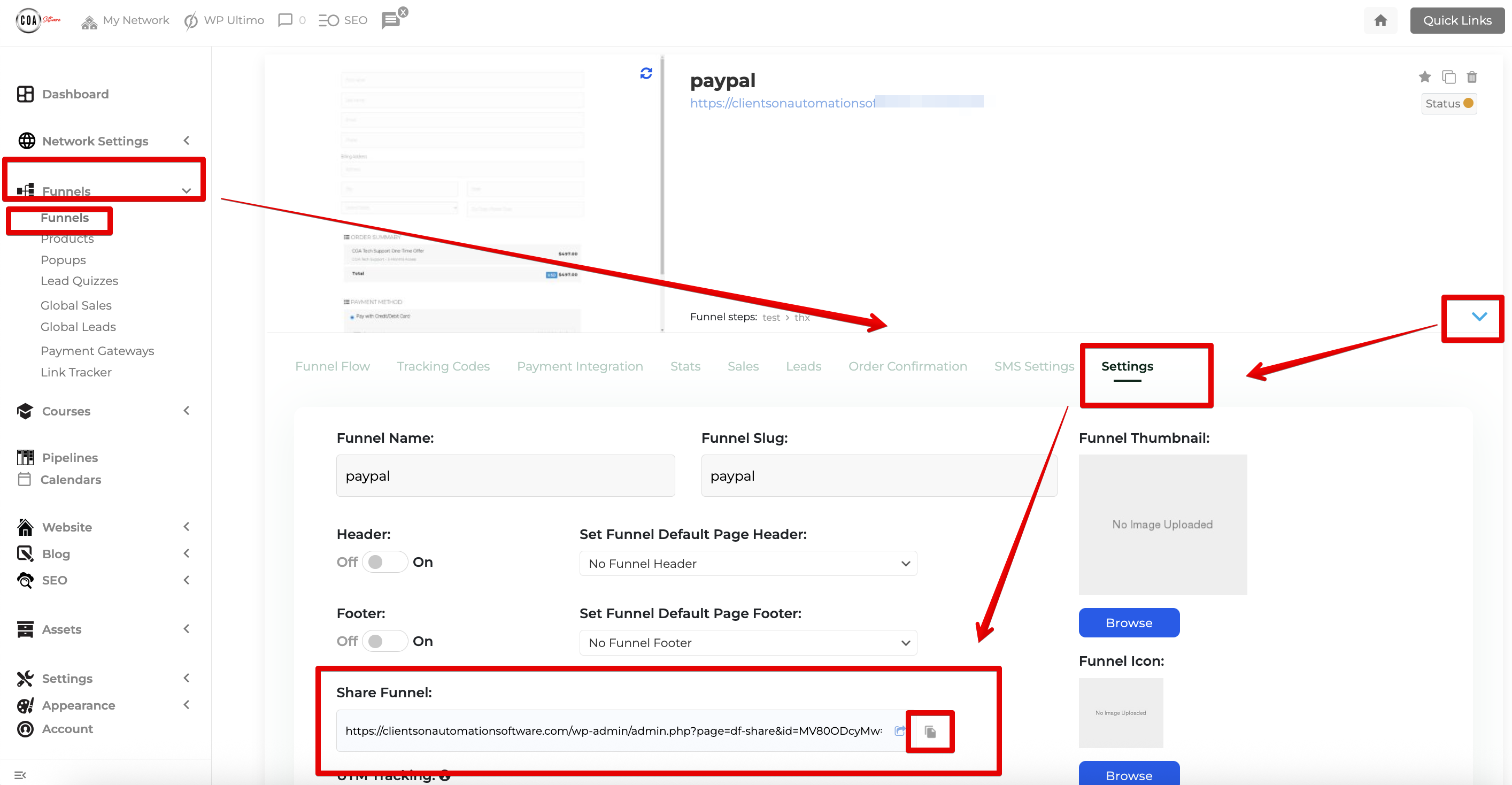
Step 1: Find the Funnel or Course that you would love to share.
Step 2: Click on the Arrow on the bottom right.
Step 3: Go to Settings.
For Funnels:
For Courses:
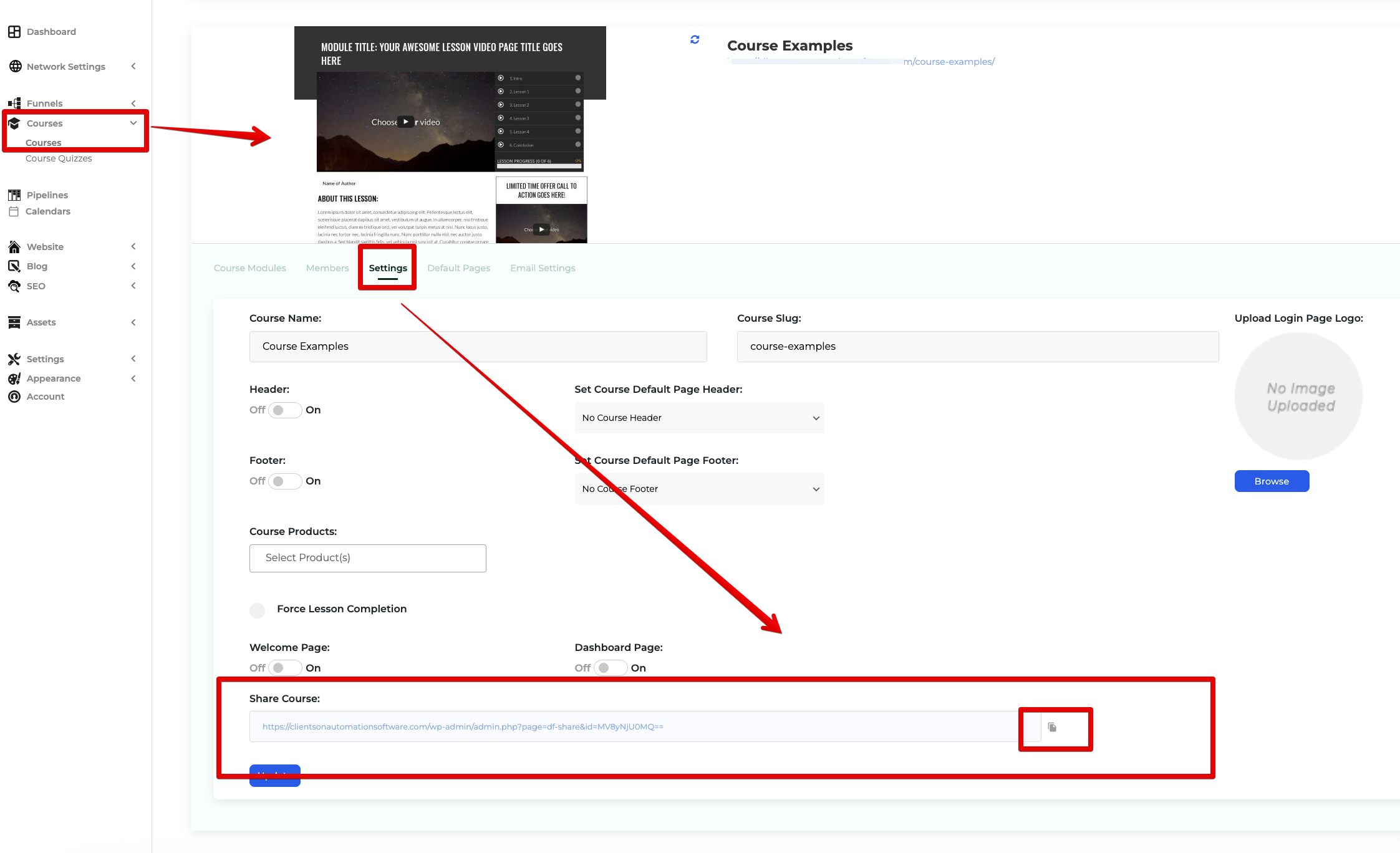
Step 4: The Share Funnel URL is what you need so other users can import the exact same Funnel / Course into their Clients on Automation Software account. Click the "Copy to Clipboard" icon to share it manually or you can send your share funnel URL via Email as well.
Importing a Funnel / Course
When sharing to your own Clients on Automation Software account with a different site url, you can login using your main admin credentials and select which sub site you would like to import to from the drop down.
NOTE: It is recommended to import the Funnel / Course inside an Incognito window.
Step 1: Paste the Funnel Share URL into the URL bar.

Step 2: This will bring you to the Clients on Automation Software login page where you will be required to login to your own Clients on Automation Software account.

Step 3: Once logged in, confirm the Account information.
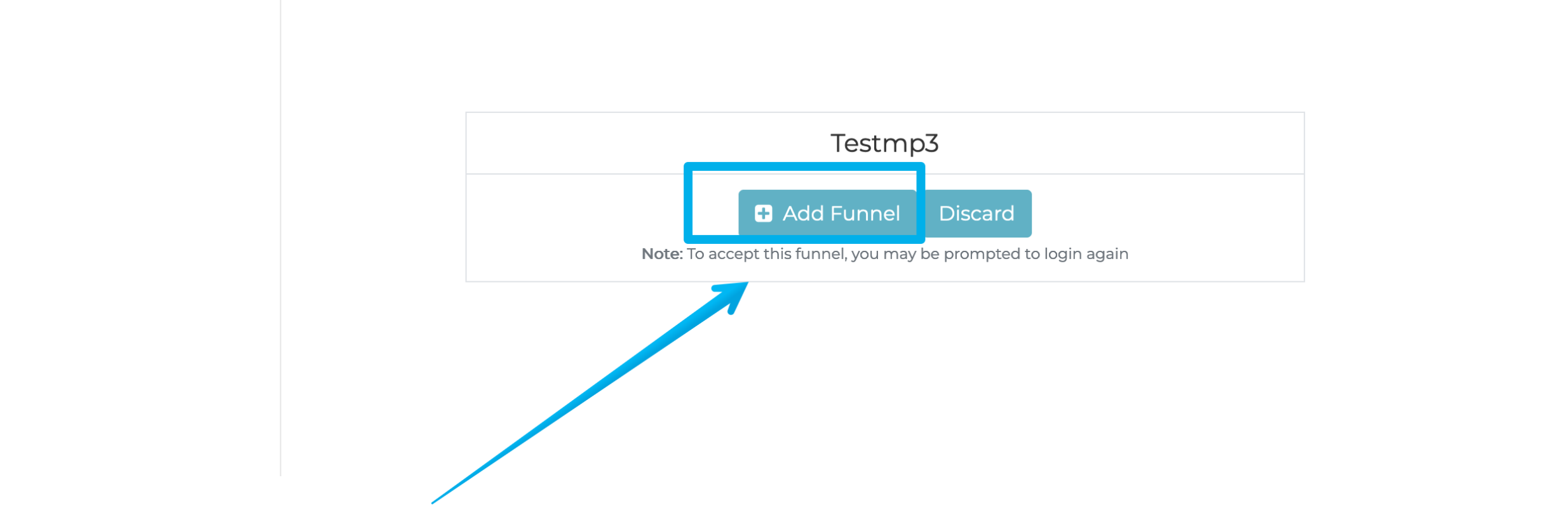
Step 4: Click Add Funnel. Sit back and relax as our system do the work.
Once the import is done, you can search for the Funnel / Course in its respective section.