How to setup Google Meet Web Meetings in Clients on Automation Software Call Calendar
The Google Meet option will allow you to add a unique meeting link to your Google Calendar events. You can use this to create a common location where you and your clients can meet.
Before starting this guide, you must set up Google Calendar sync in Clients on Automation Software Call Calendar first.
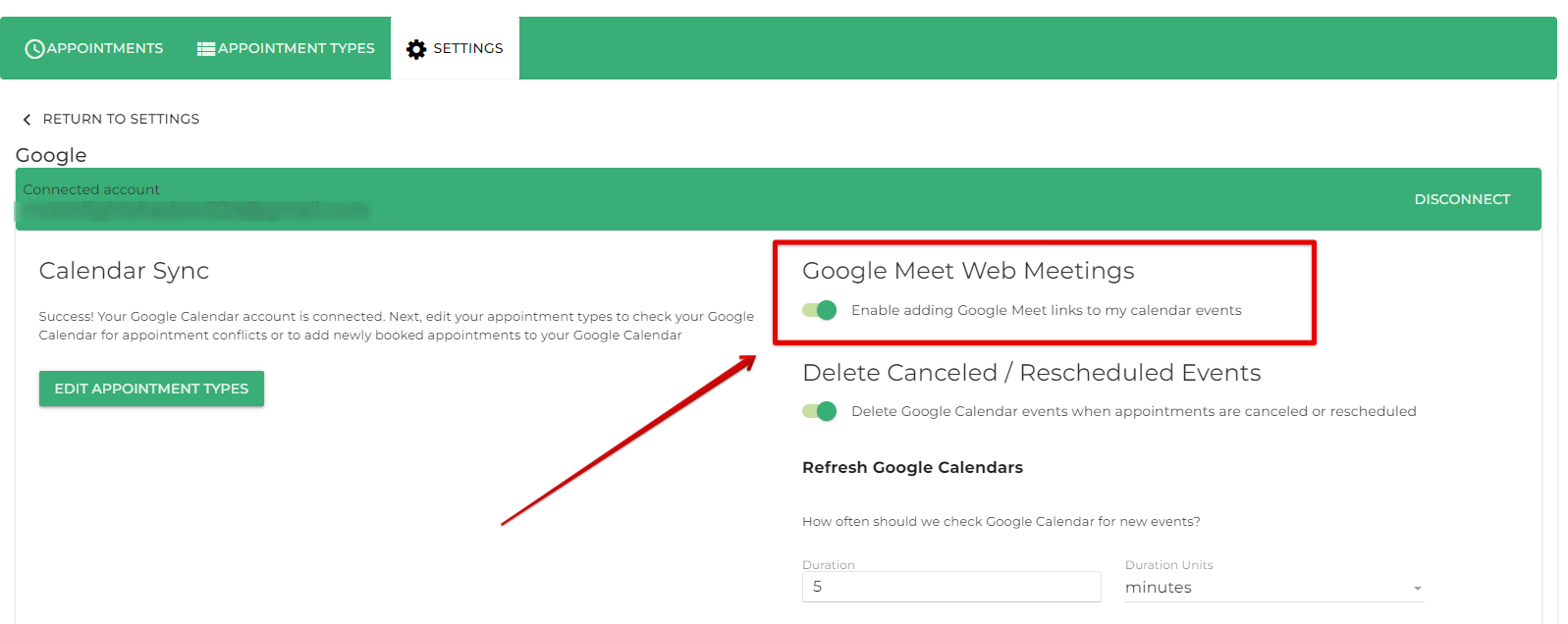
After you set up Google Calendar sync, you should see a new setting called Google Meet Web Meetings within the Google Calendar settings.
Enable Google Meet Web Meetings in the Google Calendar Settings.
First, go to Dashboard> Calendar > Settings > Google Calendar. You’ll need to toggle on the Google Meet Web Meetings; this will enable a new section in the Appointment Type settings.
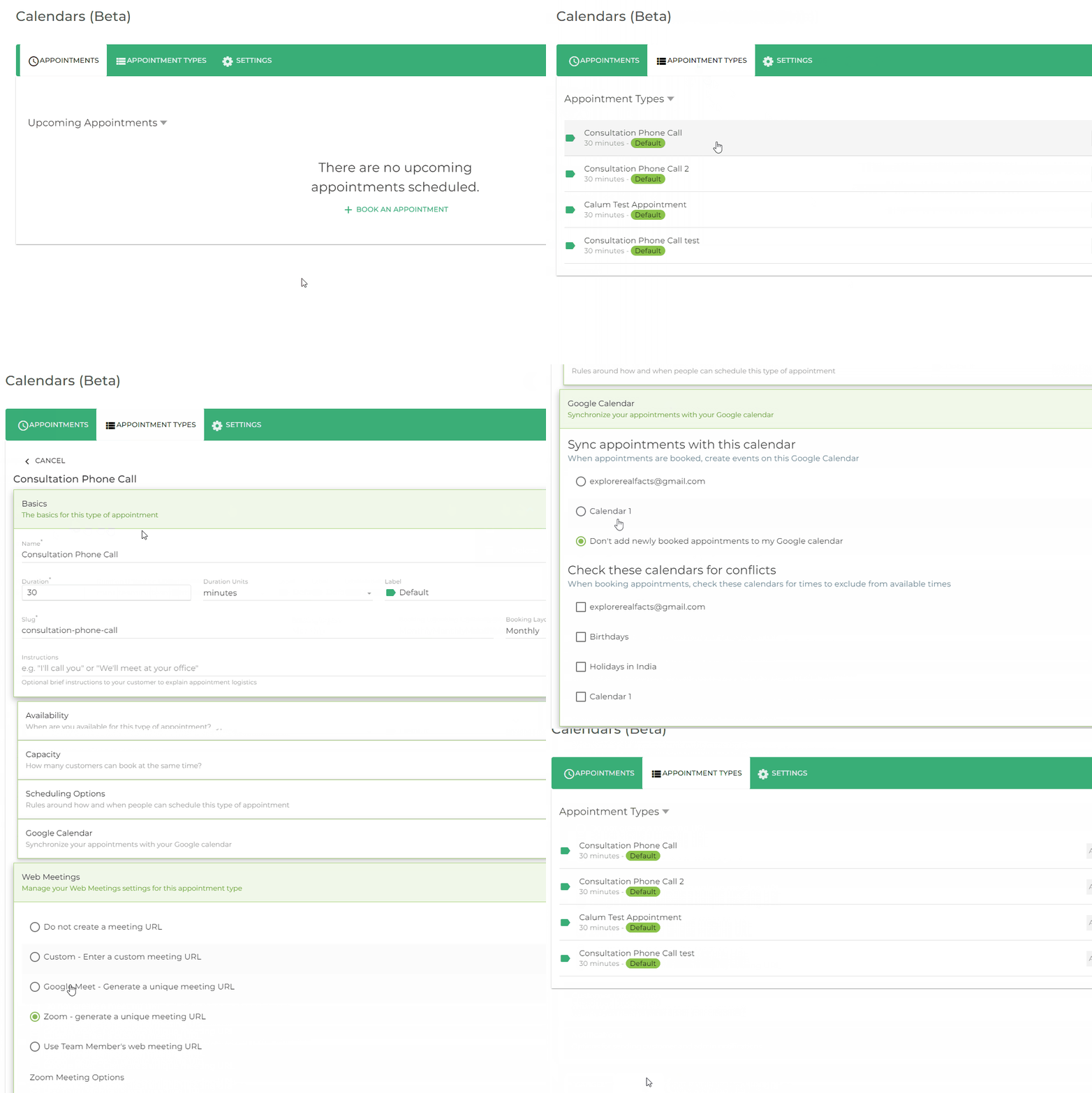
Web Meetings Tab in the Appointment Type Settings
Next, you’ll want to head on over to the appointment type that requires web meetings. Inside the Appointment Type settings, you’ll now see a Web Meetings tab below Google Calendar.
Before we click on the Web Meetings tab, you’ll need to ensure you have a Google Calendar selected to ‘Sync appointment with this calendar’.
Or else, you’ll get an error message like this!
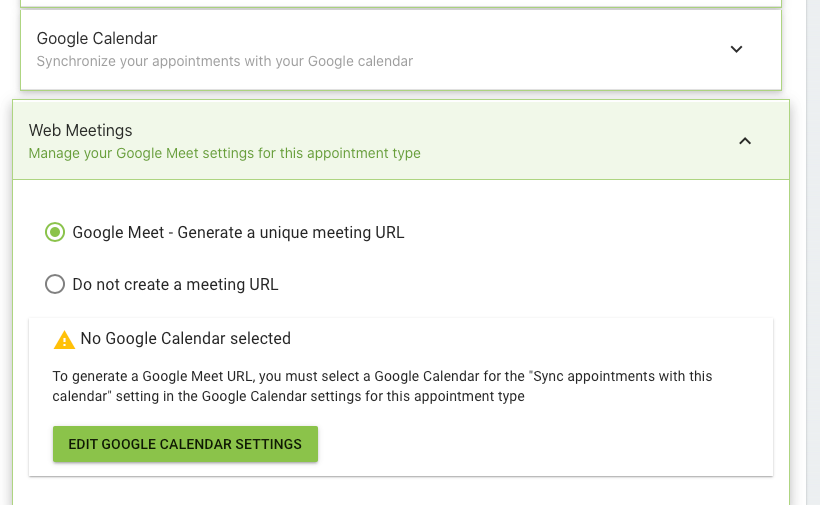
Note: Error message for not having a Google Calendar synced in the appointment type settings
After selecting a calendar to sync appointments with, you can safely enable the Web Meetings option. Just select Google Meet – Generate a unique meeting URL.
How the Meeting Link LooksLink to the section How the Meeting Link Looks
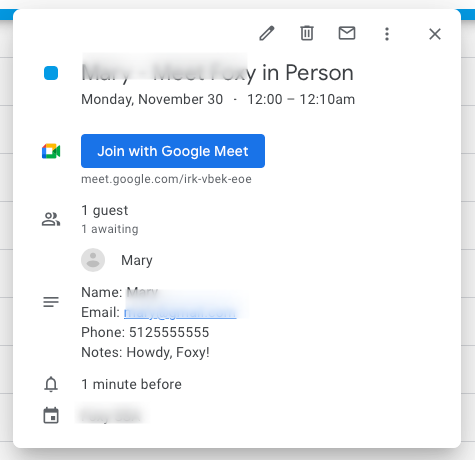
When the customer finishes booking an appointment, the new Google Calendar event will include a Join with Google Meet location.