
What is that gap?
Quite often, users noticed a weird gap between the columns/row and is unaware about it until the page is published.
If you noticed that, what you can do is to use the browser's developer tool such as "Inspect" if you are on Google Chrome.
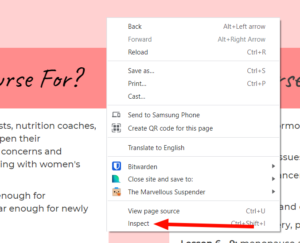
Right Clicking on the space you want to know, and click "Inspect".
Drag the right hand band down until you see the spacing.
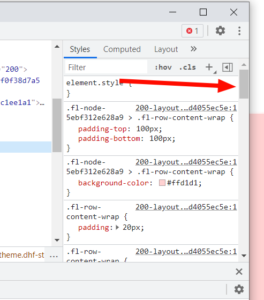
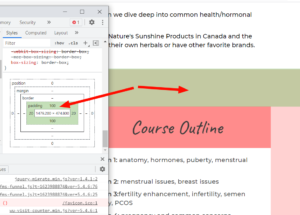
Upon inspecting that, it tells you that you are looking for something which is set to 100, this could be adjusted inside the COA Editor.
Hover over the column and click on the Column Settings > go to Advanced
Check the Margin and Padding Settings and shrink it to your requirement to remove the gap.
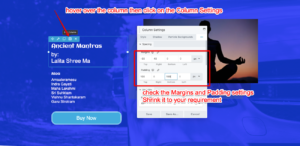
There you go, now you've removed the column/row gap.
