
"We are revamping our Knowledge Base articles to serve you better. In case you find something unusual, do not panic. Reach out to our Support Team by submitting a ticket if you ever need some help.”
  1. Home
  2. Funnel
  3. Link Tracker
  4. Link Tracker: How To Create A Redirection URL
  1. Home
  2. How-To Functionality Walkthroughs
  3. Link Tracker: How To Create A Redirection URL

Link Tracker: How To Create A Redirection URL

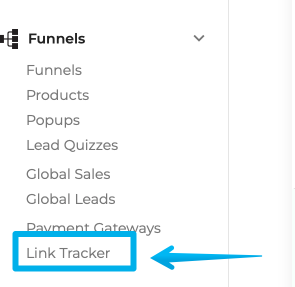
Select Funnels from the left-hand menu of your Dashboard and click the Link Tracker option.
Monosnap Courses ‹ COA Triage — WordPress 2023-04-07 02-36-57

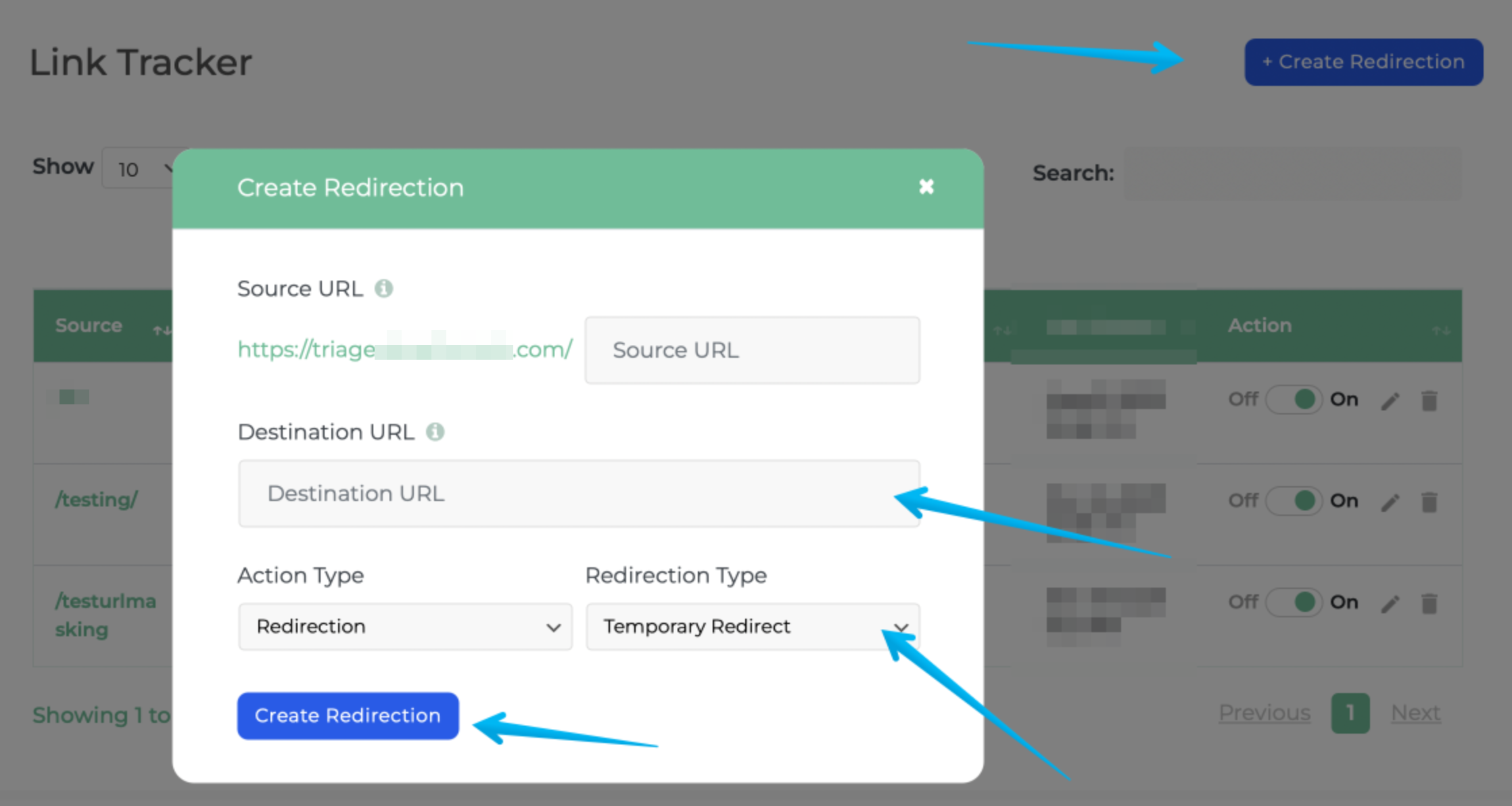
Step 2: Click Create Redirection

On the lower right of the page click "Create Redirection"

Source URL should be replaced with the slug you'd like to use on the website. Destination URL should be to URL you'd like to redirect to.

Depending on how long you are redirecting you should choose Temporary or Permanent.
Monosnap Monosnap-Link-Tracker-‹-DF-Triage-—-WordPress-2023-04-07-02-38-41.png (1138×623) 2025-04-25 03-32-28

Step 4: Your Short URL is now live

Was this article helpful?

Related Articles
